Boost CTR with Google "Read More" Deep Links: The Ultimate Guide

Unlock Higher CTRs with “Read More” Deep Links
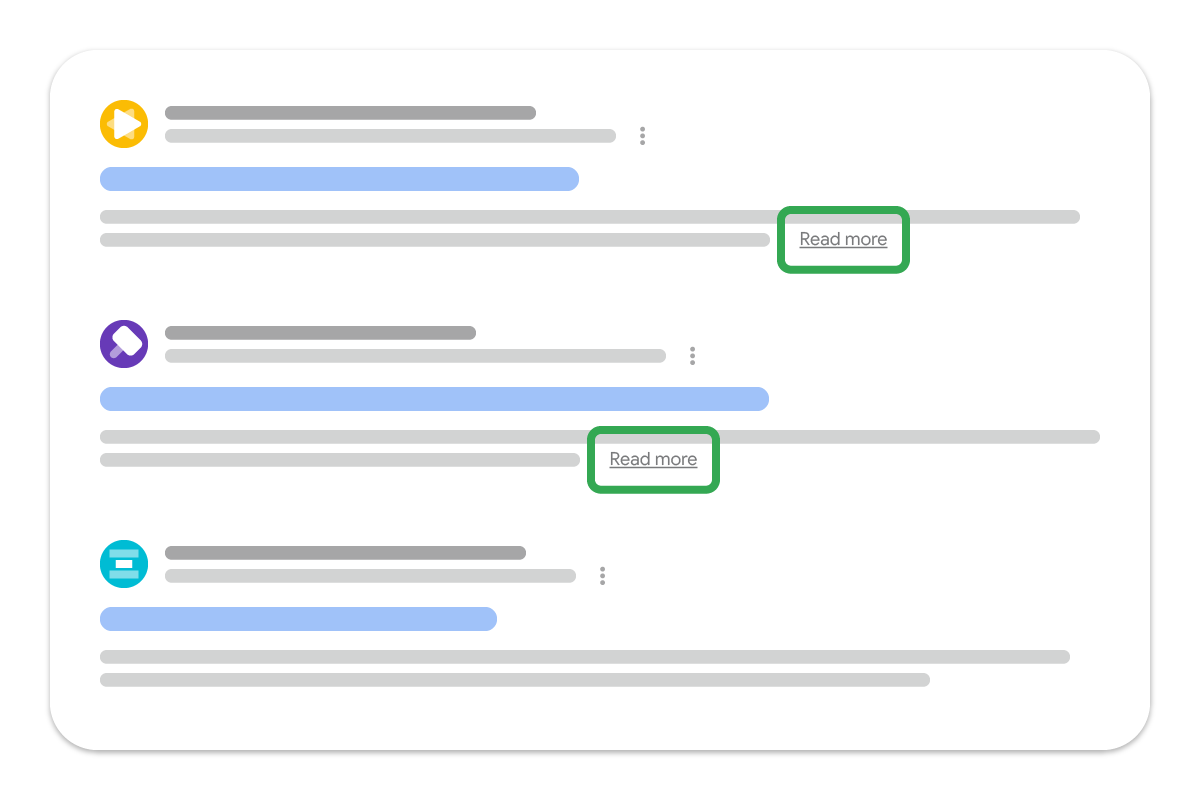
Imagine this: a user searches for something specific, and your website appears in the results with a prominent “Read More” button that takes them directly to the most relevant section of your page. This isn’t just a dream—it’s Google’s “Read More” deep links feature, and it’s revolutionizing how users interact with search results.
What Are “Read More” Deep Links?
Google’s “Read More” deep links are a search feature that adds an expandable snippet to your search results. When users click “Read More,” they’re taken directly to a specific section of your page, bypassing the need to scroll through irrelevant content.
This feature is particularly powerful for:
- Long-form articles with multiple sections
- FAQ pages with specific questions
- Product pages with detailed specifications
- Guide pages with step-by-step instructions
Why “Read More” Deep Links Matter for SEO
The impact of this feature goes beyond convenience:
- Higher Click-Through Rates (CTR): The interactive “Read More” button makes your result stand out
- Better User Experience: Users land directly on the content they’re looking for
- Increased Engagement: Lower bounce rates as users find relevant content faster
- Improved Rankings: Positive user signals strengthen your SEO performance
How to Implement “Read More” Deep Links
Implementing this feature requires strategic structured data markup. Here’s how to do it right:
Step 1: Understand the Requirements
Google requires specific structured data to enable “Read More” deep links:
- Use
ArticleorBlogPostingschema - Include clear section headings with IDs
- Ensure content is accessible and crawlable
- Follow Google’s snippet guidelines
Step 2: Add Structured Data to Your Content
Here’s an example of how to mark up your content:
<script type="application/ld+json">
{
  "@context": "https://schema.org",
  "@type": "Article",
  "headline": "Complete Guide to SEO Optimization",
  "description": "Learn advanced SEO techniques to boost your rankings",
  "articleSection": [
    {
      "@type": "ArticleSection",
      "name": "On-Page SEO",
      "headline": "Mastering On-Page SEO",
      "description": "Optimize your content for search engines"
    },
    {
      "@type": "ArticleSection",
      "name": "Technical SEO",
      "headline": "Technical SEO Best Practices",
      "description": "Improve site performance and crawlability"
    }
  ]
}
</script>
Step 3: Optimize Section Headings
Ensure your headings have unique IDs for deep linking:
<h2 id="on-page-seo">Mastering On-Page SEO</h2>
<p>Your content here...</p>

<h2 id="technical-seo">Technical SEO Best Practices</h2>
<p>Your content here...</p>
Best Practices for Maximum Impact
To get the most out of “Read More” deep links, follow these expert tips:
| Practice | Implementation | Benefit |
|---|---|---|
| Use Clear Section Headings | Make headings descriptive and keyword-rich | Helps Google understand content structure |
| Limit Section Depth | Focus on 3-5 key sections per page | Avoid overwhelming users with too many options |
| Optimize Meta Descriptions | Write compelling descriptions that complement your deep links | Encourages initial clicks |
| Ensure Mobile Friendliness | Test deep links on mobile devices | Most searches happen on mobile |
| Monitor Performance | Track CTR and engagement metrics in Google Search Console | Refine your strategy |
Common Mistakes to Avoid
Don’t let these pitfalls derail your efforts:
- ❌ Using Generic Headings: “Section 1” or “Part A” won’t help users understand what your content is about
- ❌ Overloading with Sections: Too many options confuse users and dilute your message
- ❌ Ignoring Crawlability: Ensure JavaScript-generated content is accessible to Googlebot
- ❌ Forgetting HTTPS: Deep links require secure connections to work properly
How Fennec SEO Helps You Succeed
Our comprehensive SEO toolkit is designed to maximize your deep link potential:
- Structured Data Validation: Our SEO Audit Tool checks your schema markup for errors
- Content Analysis: Identify opportunities to optimize section headings and content structure
- Performance Monitoring: Track how your deep links perform in search results
- Technical Guidance: Our Wiki covers structured data implementation in detail
Real-World Results
Websites implementing “Read More” deep links have seen impressive results:
“After adding deep links to our blog posts, we saw a 35% increase in CTR and a 28% decrease in bounce rate. Users are finding what they need faster, and it shows in our engagement metrics.” — Sarah Chen, SEO Manager at TechInsights
Ready to Get Started?
“Read More” deep links are a game-changer for SEO. By guiding users directly to the content they want, you’ll improve engagement, boost rankings, and grow your organic traffic.
Pro Tip: Combine “Read More” deep links with our Core Web Vitals optimization for maximum impact. Fast-loading pages with direct navigation create an unbeatable user experience.
Want to dive deeper? Check out Google’s official documentation on snippets and deep links for the latest technical specifications.
Need help optimizing your site’s structure? Our Technical SEO Guide covers everything from structured data to site architecture. Start your free SEO audit today!