Google FAQPage after May 7, 2026: official status, docs, and next steps

Direct answer: Google no longer supports FAQ rich results
If you searched for “Google FAQPage official documentation” or “Google FAQ structured data guidelines”, the current answer is:
- Google no longer shows FAQ rich results in Search.
- Google removed the feature documentation on June 15, 2026, so there is no current FAQPage rich-result guide to follow.
- If
FAQPagemarkup existed only for Google rich results, stop emitting it. - If the visible FAQ still helps users, keep the content.
- If you think
QAPageis the replacement, slow down and confirm the page is genuinely a one-question, multi-answer experience.
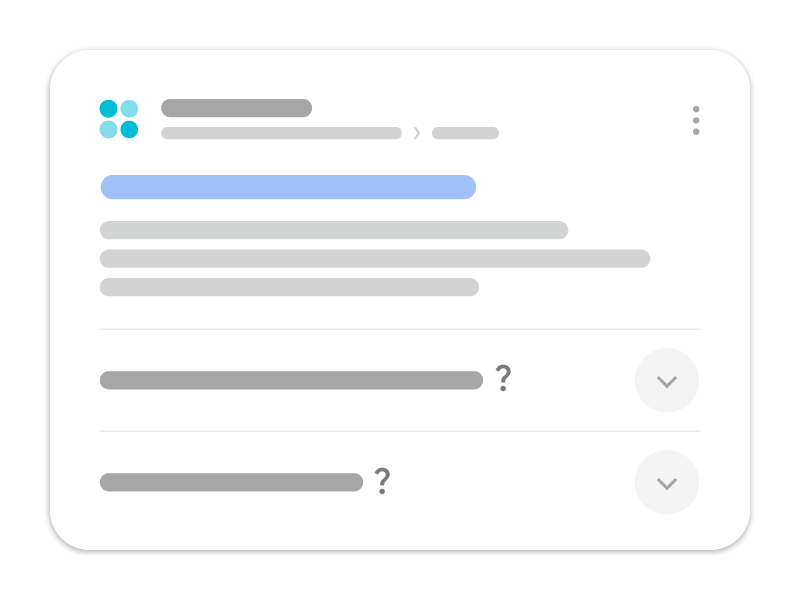
Google’s Search documentation updates page added the deprecation notice on May 8, 2026, stating that the FAQPage rich result feature had stopped appearing in Google Search on May 7, 2026. On June 15, 2026, Google removed the FAQ rich-result documentation because the feature was no longer shown.
This replaces the earlier 2023 policy that limited FAQ rich results to well-known government and health websites. If you are reading an older checklist that still describes that restricted eligibility, it is out of date.
The change is about a Google Search presentation feature. It does not make useful FAQ copy harmful, and it does not turn QAPage into a universal replacement.
What to do now
Use the smallest correct action for each page or template:
| Situation | Better move |
|---|---|
FAQPage existed only to win Google FAQ rich results | Remove the generator at template or component level |
| The visible FAQ still answers real buyer, support, or onboarding questions | Keep the content, even if you remove the markup |
| Another system still consumes the schema | Keep it temporarily, but document the consumer and test the rendered output |
| The page is really one question with multiple answers, usually user-submitted | Evaluate QAPage against Google’s current rules |
Which official Google docs should you use now?
The current Google documentation path is smaller than many older checklists imply:
| If you need to… | Current Google source | Why it matters now |
|---|---|---|
| Confirm whether FAQ rich results still exist | Google Search documentation updates | The changelog records the May 8, 2026 deprecation notice and the June 15, 2026 documentation removal |
| Check whether a one-question page qualifies for Q&A markup | QAPage structured data | This is still supported, but only for genuine one-question, multi-answer experiences |
| Validate the rules that still apply to supported markup | General structured data guidelines | Visible-content alignment, technical validity, and quality rules still apply even after FAQPage retirement |
| Recheck Google’s stored view of the page after deployment | URL Inspection tool help | Confirms the indexed canonical, crawl result, and Google’s last recorded fetch status |
If your schema change comes from a shared template, use this together with our structured data QA release workflow. That is a better fit than hunting for a FAQ-specific rich-result page that no longer exists.
What changed, in order
| Date | Google change | Practical meaning |
|---|---|---|
| August 2023 | FAQ rich results became limited to well-known, authoritative government and health sites | Most publishers stopped receiving the expanded FAQ treatment |
| May 8, 2026 | Google documented that FAQ rich results had stopped appearing on May 7, 2026 | No site should plan for a Google FAQ rich result |
| June 15, 2026 | Google removed the FAQ rich-result documentation | The deprecated feature is no longer part of Google’s supported Search appearance guidance |
The 2023 announcement also said unused FAQ structured data did not cause problems for Search and did not need emergency removal. The 2026 deprecation changes the maintenance decision: there is now no Google FAQ rich-result benefit to preserve.
What should you do with existing FAQPage markup?
Use a consumer-and-cost audit instead of a blanket migration.
Remove it when Google was the only reason it existed
If a template emits FAQPage only to pursue Google rich results, removing that output simplifies the page and prevents outdated markup from drifting away from visible content. Remove the generator at the component or template level rather than deleting JSON-LD page by page.
Keep visible FAQ content when it helps readers
An FAQ section can still answer objections, explain edge cases, support internal navigation, and reduce support work. Visible content and structured data are separate decisions. Removing FAQPage JSON-LD does not require deleting the questions and answers people use.
Verify other consumers before removal
Schema.org vocabulary can be used outside Google Search. If another search engine, assistant, partner feed, or internal system consumes the markup, document that dependency and test it before changing the template. Do not assume Google support is the only possible use.
Keep markup aligned while it remains
If you retain FAQPage for another consumer, marked-up questions and answers should match visible content. Do not hide promotional claims in JSON-LD, mark up reviews as FAQs, or let a shared template output the same questions on unrelated pages.
FAQPage is not QAPage
Google continues to document QAPage for pages built around one question and its answers. The page model is different from a publisher-written list of common questions.
| Page pattern | Appropriate markup decision |
|---|---|
| Company writes several questions and answers about its product | Keep the visible FAQ; do not relabel it as QAPage |
| Article contains a short FAQ section after the main guide | Use normal article markup; the FAQ can remain plain visible content |
| One question with answers submitted by users | Consider QAPage if all Google content and technical rules are met |
| Support page with one official answer and no alternative-answer workflow | Usually not a QAPage; use the page type that describes the main content |
Do not change "@type": "FAQPage" to "@type": "QAPage" with a search-and-replace. Google explicitly lists a site-authored FAQ with no way for users to submit alternative answers as an invalid Q&A-page use case.
A reproducible validation workflow
Use a rendered-page check plus Search Console, not a schema-only guess.
1. Inspect the HTML that actually ships
Use your production URL and look for FAQPage, QAPage, and the markup that should remain:
URL='https://fennecseo.app/blog/google-faq-structured-data-update/' # replace with your target URL
curl -sL "$URL" | rg -n 'FAQPage|QAPage|BreadcrumbList|Article'
After removing deprecated FAQ markup, you should usually not see FAQPage in the rendered HTML unless another documented consumer still needs it.
2. Compare visible FAQ copy against the markup decision
Confirm that the visible questions still help readers and that no hidden JSON-LD claims survive after the cleanup.
3. Validate the remaining supported markup
If the page still uses Article, BreadcrumbList, Product, or other supported types, test those instead of waiting for a FAQ-specific enhancement that no longer exists.
4. Check the indexed version in Search Console
Use URL Inspection to confirm:
- the indexed URL is still the intended canonical;
- the last crawl succeeded;
- the page is still indexable after the template change.
5. Record the deployment date, then watch page-level performance
Track ordinary web clicks, impressions, CTR, and average position for the canonical page. The goal is to catch implementation regressions, not to claim that removing FAQPage automatically improves rankings.
A safe removal workflow
1. Inventory the source
Find every place that emits FAQPage: CMS plugins, theme components, tag managers, page builders, hand-written JSON-LD, and server-side templates. Record whether each source is global, conditional, or page-specific.
2. Separate content from markup
For each URL, answer two questions:
- Does the visible FAQ solve a real reader task?
- Does any current system consume the structured data?
This prevents a schema cleanup from becoming an accidental content deletion.
3. Remove or gate the generator
If there is no remaining consumer, stop emitting the markup. If another consumer still needs it, add a documented eligibility condition instead of leaving the schema enabled sitewide.
4. Validate rendered output
Inspect the final HTML, not only the CMS editor. Confirm that:
- the old
FAQPageblock is gone where intended; - Article, Breadcrumb, Product, Organization, or other valid markup was not removed accidentally;
- visible questions and answers still work with keyboard and mobile layouts;
- no duplicate structured-data block remains in a plugin or tag manager.
Google’s Rich Results Test may no longer treat a deprecated feature as a supported enhancement, so inspect the rendered JSON-LD directly, test any markup that remains supported, and run your normal page-quality checks.
5. Annotate the deployment
Record the release date in analytics and Search Console notes. Do not expect a ranking lift from deleting unused markup. Monitor indexing, clicks, impressions, and errors to catch implementation regressions, not to manufacture a causal SEO claim.
What Search Console data means after deprecation
Historical FAQ search-appearance data may describe periods when the feature existed. Do not compare those rows with current periods as though eligibility stayed constant. For current performance, evaluate the canonical page’s ordinary web clicks, impressions, CTR, and position.
If CTR is weak, improve the title, snippet-worthy opening answer, and intent match. Re-adding deprecated markup will not restore an FAQ rich result.
Common mistakes
- Repeating the 2023 government-and-health restriction as the current 2026 policy.
- Promising a CTR or ranking increase after removing
FAQPage. - Deleting useful visible FAQs together with the JSON-LD.
- Replacing every
FAQPageblock withQAPage. - Keeping sitewide schema that no owner tests or maintains.
- Treating a valid Schema.org type as proof that Google supports a matching rich result.
Decision checklist
- The team knows that Google stopped FAQ rich results on May 7, 2026.
- Each markup source and remaining consumer is documented.
- Useful visible questions remain available to readers.
-
QAPageis used only for a genuine one-question, multi-answer experience. - Rendered HTML has been checked for duplicate or stale JSON-LD.
- The deployment is annotated and monitored without promising a ranking gain.
Official sources
- Google Search documentation updates — records the May 8, 2026 deprecation notice, the May 7 retirement date, and the June 15 documentation removal.
- Google Search Central: Changes to HowTo and FAQ rich results — documents the earlier restriction and states that unused markup did not require proactive removal.
- Google Search Central: QAPage structured data — defines the separate Q&A-page use case and invalid patterns.
- Google Search Central: General structured data guidelines — current quality and technical rules for supported structured data.
- Google Search Console Help: URL Inspection tool — explains what Google’s indexed view and current fetch checks can confirm after a markup change.
Use the Schema Markup tool to inspect current structured data, the Audit tool to check the rendered page after a template change, and the structured data QA workflow when the change comes from a shared template.
Q&A
Does Google still show FAQ rich results?
No. Google's documentation changelog says the FAQ rich result feature stopped appearing in Google Search on May 7, 2026, and the feature documentation was later removed.
Should I remove existing FAQPage structured data?
Remove it when it has no consumer or creates maintenance risk, but this is not an emergency ranking fix. Keep useful FAQ content visible to readers and test any remaining markup needed by another platform.
Should I replace FAQPage with QAPage?
Only when the page is genuinely centered on one question and its answers, normally with a way for users to submit alternative answers. Do not relabel a site-authored FAQ or ordinary article as QAPage.