Hidden Content & SEO: When display:none Is Safe or Risky

Google can process useful text that is present in the initial HTML or rendered DOM even when a tab, accordion, or CSS rule initially hides it. That does not mean every display: none block is indexed, receives “full weight,” or is treated like prominent main content.
The practical distinction is not simply visible versus hidden. Ask three questions:
- Is the content present when Google renders the page?
- Can a real visitor reveal and use it?
- Is it hidden for interface design, or solely to manipulate search visibility?
Google’s spam policies explicitly distinguish legitimate accordions, tabs, slideshows, tooltips, and screen-reader text from hidden text or links placed solely to manipulate search systems.
Four hidden-content states that behave differently
| Implementation | Initial HTML | Rendered DOM | User action required | Main SEO concern |
|---|---|---|---|---|
| CSS-hidden accordion panel | Present | Present | To display | Usually legitimate when useful and accessible |
| React/Vue condition that is true at render | Maybe absent | Present | No | Rendering reliability |
| Content fetched only after a click | Absent | Absent until interaction | Yes | Google may never receive the content |
| Off-screen or transparent keyword block | Present | Present | Not meaningfully available | Hidden-text abuse |
This model is more useful than the rule “keep it in the DOM.” Presence is necessary for a crawler to process text, but it is not a ranking guarantee.
display: none does not automatically create a penalty
display: none removes an element’s box from the visual layout. It is a normal CSS tool for menus, responsive interfaces, tabs, modal states, and disclosure components.
Google does not say that using this property creates an automatic penalty. Its policy focuses on purpose and user access:
- hiding a dormant accordion panel to keep a mobile page usable is normal;
- hiding alternate slides in a carousel is normal;
- hiding text intended for screen-reader users can be normal;
- placing keyword-heavy text where visitors cannot reasonably find or read it can violate policy.
Avoid replacing that distinction with unsupported claims such as “hidden content always gets full ranking weight.” Google does not publish a universal weighting rule for visible and collapsed text.
CSS hiding versus conditional rendering
CSS toggle: content remains in the rendered DOM
<button aria-expanded="false" aria-controls="shipping-panel">
  Shipping requirements
</button>
<div id="shipping-panel" hidden>
  <p>Orders require a complete postal address and a supported destination.</p>
</div>
The answer exists in the document and the button exposes it to the visitor. JavaScript can toggle hidden and aria-expanded.
For an accessible implementation, follow the WAI-ARIA accordion pattern: use a real button, associate it with the panel, expose expanded state, and support keyboard interaction. Accessibility is a user requirement; do not describe aria-* attributes as a confirmed Google ranking signal.
Conditional render: content may be absent
{isOpen && (
  <section id="shipping-panel">
    <p>Orders require a complete postal address and a supported destination.</p>
  </section>
)}
If isOpen is false when the page is rendered, the section is not in that DOM snapshot. That can be fine for user-specific controls or nonessential details. It is risky when the missing section contains the page’s primary answer, product description, internal links, or eligibility terms.
Interaction-only fetch: the highest discovery risk
button.addEventListener('click', async () => {
  panel.innerHTML = await fetch('/shipping-requirements').then(r => r.text());
});
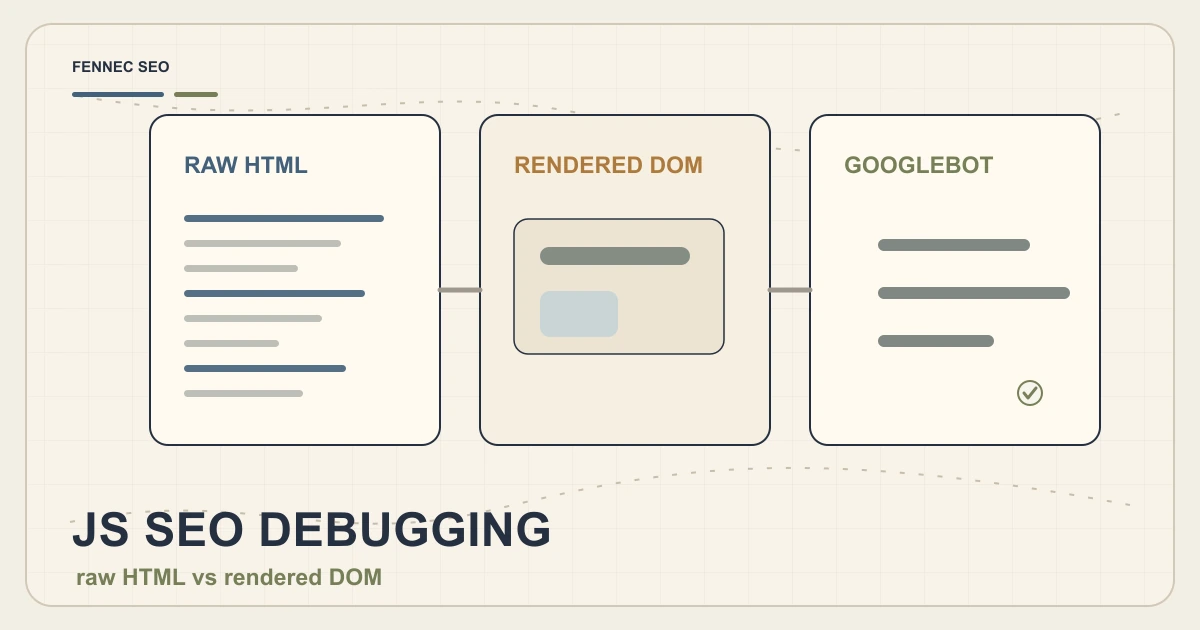
Google’s JavaScript SEO guidance explains that Googlebot crawls, renders, and then uses rendered HTML for indexing. Do not assume the renderer will click every tab or button to trigger additional network requests.
If the content is essential to understanding the page, return it in the server response or render it without requiring interaction. Progressive disclosure should change presentation, not make the core answer depend on a simulated user.
What should stay visible
Keep the information needed to identify and evaluate the page visible without interaction:
- the H1 and the page’s direct answer;
- the primary product or service description;
- material price, eligibility, safety, or availability conditions;
- the main next step;
- links required to discover important child pages.
Secondary examples, specifications, transcripts, troubleshooting details, or long comparison tables can work well in disclosure components when their labels are descriptive.
Do not place every paragraph in collapsed sections merely to shorten the page visually. A visitor should be able to scan the information hierarchy before deciding what to expand.
A reproducible audit workflow
1. Inspect the server response
Use View Source or request the URL without executing JavaScript. Record whether the hidden answer, its heading, and its links are present.
curl -L https://example.com/page | rg 'Shipping requirements'
This tells you what the server sent. It does not tell you what appears after JavaScript runs.
2. Inspect the rendered DOM
Open the page in a browser, wait for rendering, and search the Elements panel for the same text. Also check whether a failed API request, cookie state, viewport, or authentication condition changes the result.
Use the Fennec Bot Simulator to compare crawler-facing output, then confirm important URLs in Search Console URL Inspection. One tool snapshot is evidence, not proof of permanent indexing.
3. Test the interaction
Check that:
- the control is a button or another appropriate interactive element;
- keyboard users can open and close it;
aria-expandedreflects the actual state;aria-controlspoints to the correct panel;- focus does not become trapped or disappear;
- content remains readable with CSS or JavaScript failures where practical.
4. Search for manipulative patterns
Review templates for:
- zero opacity or zero-size text;
- same-color text and background;
- content positioned far off screen without an accessibility purpose;
- hidden links with empty or one-character anchors;
- different copy delivered only to a search user agent;
- large keyword blocks with no reveal control.
These patterns need a purpose review, not an automatic CSS replacement.
5. Measure the right outcome
After a meaningful fix, track the URL’s rendered eligibility, indexing status, queries, impressions, clicks, and visitor interaction. Do not attribute a ranking movement to one CSS property without controlling for content, internal links, crawl timing, and other changes.
React and Vue implementation decisions
| Need | Preferred approach |
|---|---|
| Core answer should be available immediately | Server-render or statically render it |
| Supporting detail in an accordion | Keep it in document output and toggle presentation |
| Personalized account data | Conditional client render is appropriate; normally not an SEO target |
| Heavy component below the fold | Lazy-load the component, but preserve meaningful fallback text and links |
| Content obtained only after consent or login | Treat it as gated content, not guaranteed public indexable copy |
The right choice depends on the user task. v-show is not inherently “better for SEO” than v-if; it is only more likely to retain the node in the rendered output. Architecture, performance, privacy, and accessibility still matter.
Decision checklist
Before publishing hidden or collapsible content, confirm:
- the main answer is not interaction-dependent;
- the text exists in the server HTML or reliably rendered DOM;
- the reveal control is descriptive and keyboard-accessible;
- no essential internal link exists only after a click-triggered fetch;
- the hidden state has a clear UX purpose;
- the page does not serve different keyword copy only to crawlers;
- raw HTML, rendered DOM, and Search Console results have been compared;
- indexing and ranking claims are measured rather than assumed.
Bottom line
Use hidden content to manage interface complexity, not to manufacture search relevance. A useful accordion that visitors can open is not the same as invisible keyword text, and a node present in the DOM is not automatically guaranteed to rank.
For the next layer of diagnosis, read Googlebot WRS and JavaScript SEO and run a broader technical SEO audit if important content differs between server HTML and the rendered page.
Q&A
Does Google index content with display:none?
Google can process text that is present in the HTML or rendered DOM even when CSS initially hides it, but inclusion in the DOM does not guarantee indexing, ranking, or equal prominence. Test the rendered result and keep important answers usable for visitors.
Are accordions and tabs against Google spam policies?
No. Google explicitly lists accordions and tabbed content used for user experience as legitimate. The risk is content hidden solely to manipulate search systems and not made meaningfully available to people.
Can Google see content loaded only after a click?
Do not assume it can. Google renders JavaScript, but its renderer does not behave like a user completing every interaction. If a click is required to fetch or insert essential copy, place that copy in the server HTML or rendered DOM instead.