MCP Server Card for SEO and Product Websites

An MCP Server Card is a compact way to explain what an MCP server offers before an agent starts calling tools.
For SEO teams, the important question is not “can we add another agent file?” It is more practical:
Does this product website expose real capabilities that an agent should be able to discover safely?
If the answer is yes, a Server Card can become the bridge between normal website discovery and product capability discovery. If the answer is no, it is probably premature. Start with Link Headers for AI Agents, llms.txt, clean sitemaps, and the Agent SEO audit basics first.
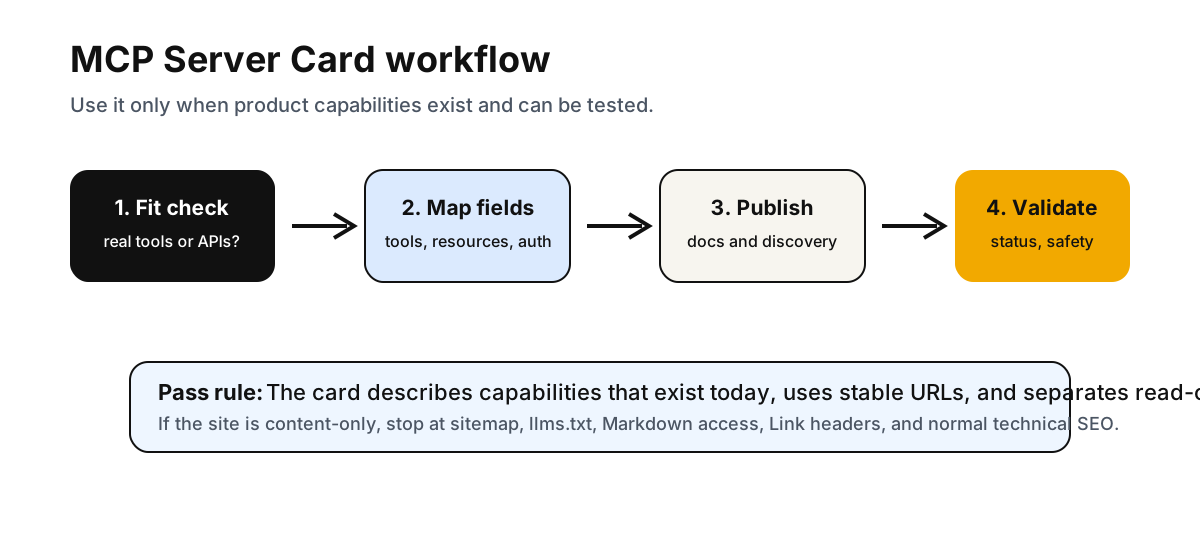
This article shows when MCP Server Card work belongs in an Agent SEO roadmap, what fields to include, how to connect it to API discovery, and how to validate it without pretending it is a search ranking signal.
What An MCP Server Card Is
Model Context Protocol lets MCP servers expose capabilities such as tools, resources, and prompts to clients. The official MCP specification documents server features including tools, resources, and prompts.
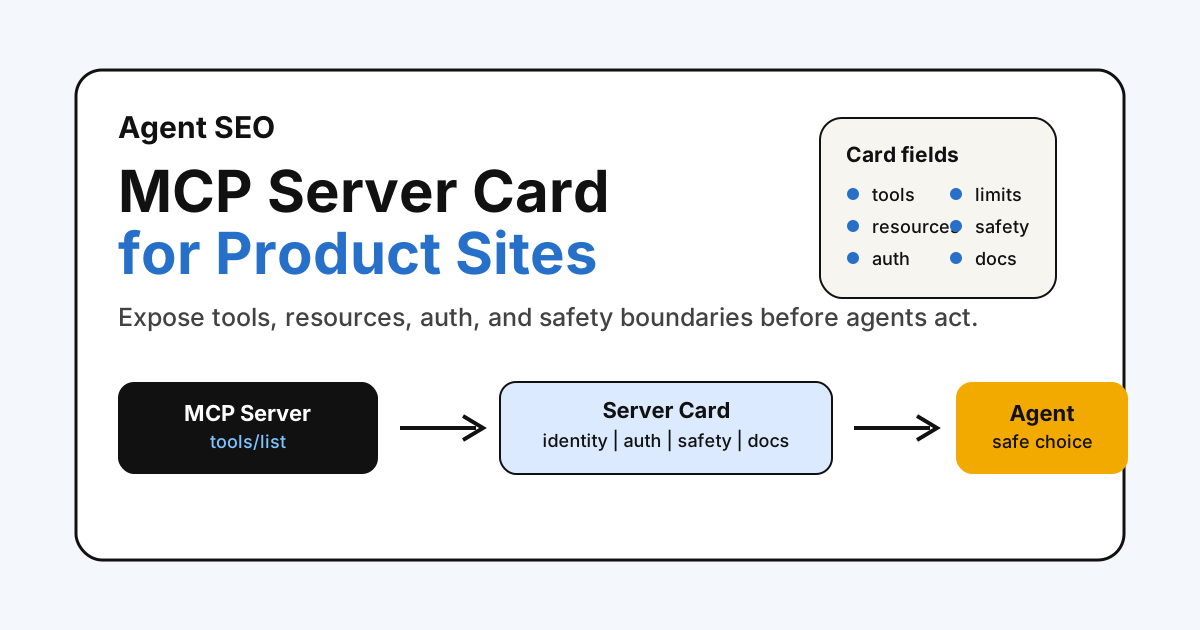
An MCP Server Card is the discovery and description layer around that server. It should tell a client:
- Who publishes the server
- What the server is for
- Which tools and resources are available
- Which actions are read-only, write-capable, or sensitive
- Which auth flow is required
- What data is accessed
- What rate limits, safety rules, and support links apply
The phrase is still emerging. The MCP project has a Server Card Working Group charter, and its scope includes defining what constitutes a Server Card, its document format, and how clients discover it. That means content should avoid treating one exact JSON shape as permanently final.
The durable SEO idea is simpler: if your product has agent-callable capabilities, publish a stable, honest capability card that agents and auditors can inspect.
Why This Matters For Agent SEO
Classic SEO discovery answers:
- Can crawlers find the URL?
- Can they render the content?
- Is the canonical correct?
- Does the page have useful links and structured data?
Agent SEO adds a product question:
- Can an agent understand what the site can do?
- Can it tell the difference between reading, searching, exporting, and changing data?
- Can it discover documentation before attempting actions?
- Can it understand auth and safety boundaries?
That is why MCP Server Card belongs near API Catalog SEO, Agent Skills Index, WebMCP, OAuth metadata, and the broader Agent SEO IsItAgentReady audit.
It is not for every website. It is for websites where “what the product can do” is more important than “what the article says.”
MCP Fit Matrix
Use this matrix before adding MCP work to a roadmap.
| Site type | MCP Server Card fit | Better first step |
|---|---|---|
| Blog or glossary only | Low | Sitemap, internal links, llms.txt, Markdown access |
| Documentation site | Medium | Searchable docs, llms.txt, Link headers, API docs |
| SaaS marketing site with no public tools | Low to medium | Agent SEO audit hub, product docs, schema, clear pricing |
| SaaS product with public API | High | API Catalog, OpenAPI docs, auth metadata, Server Card |
| Developer platform | High | API Catalog, MCP server docs, tools/resources list |
| Support knowledge base with search | Medium to high | Resource discovery, docs search tool, privacy boundaries |
| Commerce or account actions | High risk | Product schema, authenticated flow docs, explicit safety rules |
The point is to resist protocol inflation. A Server Card should describe a real server, not decorate a site for a scanner score.
What To Include
A practical Server Card for SEO and product discovery should include these sections.
| Field group | What to say | Why agents need it |
|---|---|---|
| Identity | Server name, publisher, canonical docs URL, version, update date | Prevents ambiguity and stale discovery |
| Purpose | What the server helps users do | Sets task boundaries before invocation |
| Tools | Names, descriptions, input schema links, read/write labels | Helps clients choose safe tools |
| Resources | Search indexes, docs, catalogs, product data, support content | Shows what context can be retrieved |
| Prompts | Reusable workflows or templates, if exposed | Helps clients understand guided use |
| Auth | Public, API key, OAuth, account session, scopes | Avoids surprise access failures |
| Safety | Human confirmation, destructive action rules, data retention | Reduces risky automation |
| Limits | Rate limits, quota, allowed user agents, support contacts | Makes behavior testable |
| Discovery | Related Link headers, API catalog, docs, changelog | Connects the card to the wider site graph |
For product websites, the most important fields are often not the technical ones. They are the boundary fields: auth, read/write state, user confirmation, data exposure, and version.
Example Server Card
This is an illustrative shape for an SEO product with an MCP server. Treat it as a publishing model, not a final standard.
{
  "name": "fennecseo-audit-mcp",
  "title": "FennecSEO Audit MCP Server",
  "publisher": {
    "name": "Fennec SEO",
    "url": "https://fennecseo.app/"
  },
  "version": "2026-07-07",
  "description": "Tools and resources for technical SEO, Agent SEO, crawler, and schema audit workflows.",
  "documentation": "https://fennecseo.app/audit/agent-seo/",
  "capabilities": {
    "tools": [
      {
        "name": "run_agent_seo_audit",
        "title": "Run Agent SEO audit",
        "mode": "read-only",
        "description": "Checks discovery, content access, crawler policy, API discovery, and MCP metadata for a public URL."
      },
      {
        "name": "simulate_bot_view",
        "title": "Simulate bot view",
        "mode": "read-only",
        "description": "Compares raw HTML and rendered DOM signals for crawler-facing pages."
      }
    ],
    "resources": [
      {
        "name": "agent_seo_guides",
        "type": "documentation",
        "url": "https://fennecseo.app/blog/agent-seo-isitagentready-audit/"
      },
      {
        "name": "mcp_server_card_guide",
        "type": "documentation",
        "url": "https://fennecseo.app/blog/mcp-server-card-seo-product-websites/"
      }
    ]
  },
  "auth": {
    "type": "oauth",
    "docs": "https://fennecseo.app/docs/auth/"
  },
  "safety": {
    "requiresUserConfirmationFor": ["write", "delete", "publish"],
    "publicDataOnly": true,
    "notes": "Read-only audits should not modify websites or accounts."
  },
  "limits": {
    "rateLimit": "documented by plan",
    "support": "https://fennecseo.app/contact/"
  }
}
For a real implementation, align the fields with the Server Card workgroup output as it stabilizes. The content principle should remain the same: describe real tools, real resources, real auth, and real limits.
Discovery Path
A Server Card is weak if nothing points to it.
Use a layered discovery path:
- Link from visible product or developer docs.
- Add it to your Agent SEO or API documentation hub.
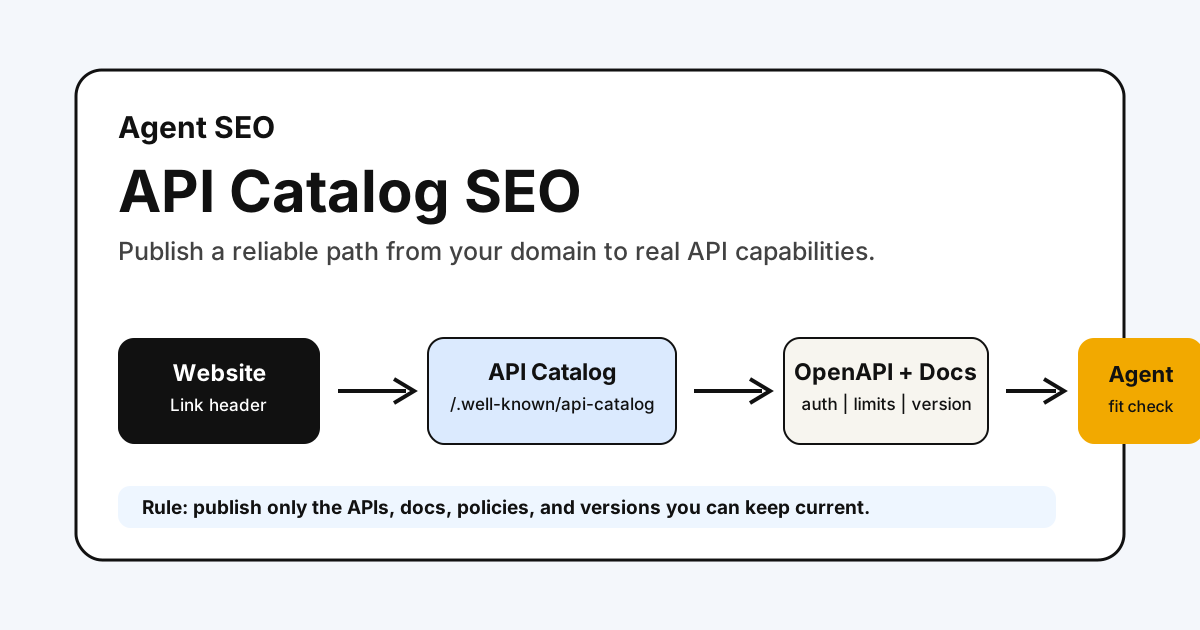
- Mention it from your API Catalog when the catalog lists MCP-related resources.
- Add an HTTP
Linkheader only if the URL is stable and maintained. - Reference it from an Agent Skills index when skills map to MCP tools.
Example Link header:
Link: </.well-known/mcp-server-card>; rel="describedby"; type="application/json"; title="MCP Server Card"
Do not hide the card in a place only scanners know. If it matters to agents, it should also be explainable to developers, product owners, and security reviewers.
How To Validate It
Treat the Server Card as a technical SEO asset and a product contract.
| Check | Pass condition |
|---|---|
| URL stability | Card URL returns 200 and is linked from docs |
| Content type | JSON card uses a suitable JSON content type |
| Freshness | Version and updated date match the current server behavior |
| Tool accuracy | Listed tools exist and names match MCP responses |
| Resource accuracy | Listed resources return expected status codes |
| Auth clarity | Public vs OAuth vs API key requirements are clear |
| Safety | Read-only and write-capable actions are separated |
| Internal links | Card connects to API docs, Agent SEO docs, and support |
| No overclaim | Copy does not promise ranking, citations, or automated access |
Then test the surrounding page with Technical SEO, Bot Simulator, and Schema Markup checks. The Server Card can be valid while the page around it still has canonical, rendering, or internal-link problems.
Common Mistakes
Avoid these patterns:
- Publishing an MCP Server Card when there is no MCP server
- Listing tools that are planned but not available
- Mixing read-only audit tools with write-capable account actions without labels
- Forgetting auth, scopes, or user confirmation requirements
- Pointing Link headers to a draft or private card
- Treating the card as a substitute for API docs, sitemap, or schema
- Using the same card for every locale when localized docs and support differ
- Promising AI visibility benefits that no source can prove
The best Server Card is boring in the right way: accurate, bounded, linked, and easy to test.
Fennec Workflow
Use this workflow when deciding whether MCP Server Card belongs in your Agent SEO sprint.
- Run an Agent SEO Audit to check current discovery signals.
- Review Link Headers for AI Agents and confirm basic HTTP discovery is clean.
- Inventory real product capabilities: public APIs, search endpoints, docs, tools, and auth flows.
- Decide whether the site needs API Catalog, MCP Server Card, Agent Skills, or all three.
- Draft a Server Card only for capabilities that exist today.
- Validate status codes, content types, auth notes, safety labels, and internal links.
- Recheck the page with Bot Simulator and Technical SEO.
For most content sites, step 4 will stop the MCP work. That is fine. Agent SEO is better when each signal has a real job.
Takeaway
MCP Server Card is not a magic SEO file. It is a capability description for agent-facing products.
Use it when your site has real MCP tools, resources, prompts, or API-backed workflows that need structured discovery and safety boundaries. Skip it when your site is only trying to make a readiness scanner happy.
That discipline is what makes Agent SEO useful: clear public content for crawlers, clear machine resources for agents, and clear boundaries before anything acts.
Sources
- Model Context Protocol: Server Card Working Group charter
- Model Context Protocol specification: Tools
- Model Context Protocol specification: Resources
- Model Context Protocol specification: Prompts
- IETF RFC 9727: The api-catalog Link Relation Type
Q&A
Is MCP Server Card an official ranking signal?
No. Treat an MCP Server Card as agent capability discovery, not a Google ranking shortcut or a reliable AI citation signal.
Do content websites need an MCP server?
Usually no. Most content sites should prioritize crawlability, sitemap hygiene, llms.txt, Markdown access, Link headers, and clear policy signals before MCP.
When does an MCP Server Card make sense?
It makes sense when a site has real agent-callable tools, API-backed workflows, documentation search, account-safe actions, or other product capabilities that need explicit boundaries.
Where should I link an MCP Server Card from?
Use visible docs, an API or agent-readiness hub, and HTTP discovery such as Link headers only when the card URL is stable, public, and maintained.