WebMCP for SEO and Product Websites: Browser-Native Tools for AI Agents

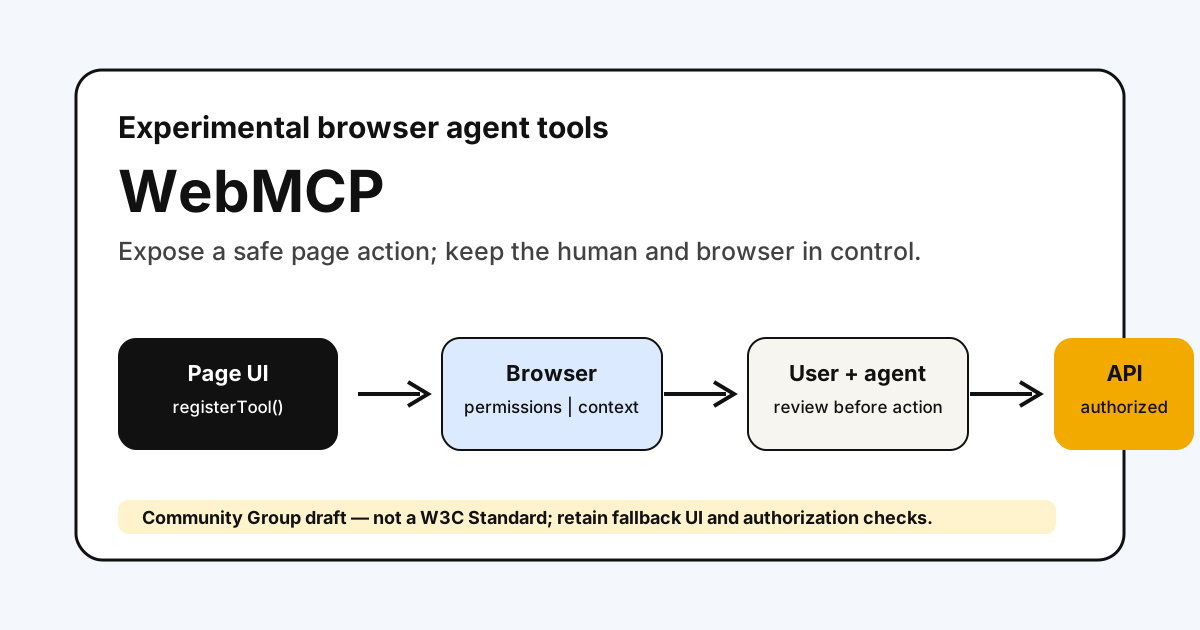
WebMCP is an emerging proposal for a different kind of website capability: tools that a browser-based AI agent can discover and invoke in the context of the page a user already has open.
It is important to separate this from search optimization. WebMCP is not an SEO feature, not an indexing signal, and not a replacement for a public API. It is an experimental browser interaction model.
The current WebMCP draft is published by a W3C Community Group and explicitly says it is not a W3C Standard or on the W3C Standards Track. That is the right framing for product teams in 2026: learn the design, experiment carefully, and do not promise broad support.
What WebMCP Proposes
The imperative API centers on document.modelContext.registerTool(). A page can describe an action, provide an input schema, and reuse its existing client-side code to perform that action.
document.modelContext.registerTool({
  name: "filter-products",
  description: "Filter the visible catalog by category and maximum price.",
  inputSchema: {
    type: "object",
    properties: {
      category: { type: "string" },
      maxPrice: { type: "number" }
    }
  },
  async execute({ category, maxPrice }) {
    await applyCatalogFilters({ category, maxPrice });
    return { content: [{ type: "text", text: "Catalog filtered." }] };
  }
});
The goal is to give an agent a structured option that is less brittle than guessing where to click in a visual interface. The page remains present, the user can retain context, and site logic can be reused rather than recreated in a separate integration.
The draft also explores declarative tools derived from HTML forms. That work is not settled: the specification labels the declarative section as unfinished and refers readers to an explainer. Do not market form conversion as a stable browser feature.
WebMCP, Backend MCP, And APIs
| Layer | Where it runs | Best for | Do not assume |
|---|---|---|---|
| Website UI | Browser page | Human interaction | An agent can use it reliably |
| WebMCP proposal | Browser page and agent context | Page-level, human-in-the-loop actions | Broad implementation support |
| Backend MCP server | Server or local process | Tools, resources, data access, workflows | Browser UI state is automatically shared |
| HTTP API / OpenAPI | Server | Public or authorized programmatic service | It can operate a rich page UI |
For example, a travel site might use backend APIs for inventory and booking, an MCP server for an assistant’s authorized booking tools, and WebMCP experiments for filtering the already-open page with the user watching.
The right choice depends on where state lives, what must be authenticated, and how much user control the action requires. It does not depend on whether a team wants an “AI SEO” label.
Good Early Fits
WebMCP is most plausible for a browser workflow where the user and agent share immediate page context:
- Filtering or sorting a visible catalog.
- Filling a multi-step form with user review before submission.
- Creating a draft inside an app without publishing it.
- Navigating a complex interface using existing client-side actions.
- Performing read-only analysis on data already visible to the signed-in user.
It is a poor fit when an ordinary server API is clearer, when the task runs without a page open, or when an action is high-risk and needs stronger authorization and audit trails.
Security And Product Boundaries
The WebMCP draft spends substantial attention on tool and output injection, intent misrepresentation, cross-origin exposure, and unsafe side effects. Treat those as product requirements, not edge cases.
Before exposing a tool, define:
| Check | Practical rule |
|---|---|
| Tool name and description | Describe exactly what it does; avoid ambiguous verbs like finalize |
| Input schema | Accept only the inputs the UI action actually supports |
| Read or write behavior | Mark and explain side effects; prefer read-only first |
| Confirmation | Require explicit user confirmation before irreversible or paid actions |
| Authentication | Reuse the page’s existing authorization checks; never create an agent-only bypass |
| Cross-origin access | Restrict exposure deliberately with browser permissions and allowed origins |
| Untrusted output | Treat reviews, messages, and user-generated text as untrusted content |
An agent-readable description is not a security boundary. The server and page must still enforce authorization, validation, rate limits, and consent.
A Practical Experiment Plan
- Pick one low-risk, visible, reversible action.
- Make the normal UI flow reliable and accessible first.
- Register one narrowly named tool that calls the same checked client-side logic.
- Log tool requests and outcomes without storing unnecessary sensitive data.
- Test authorization, cancellation, failure paths, and untrusted-content handling.
- Keep a fallback UI because WebMCP support is not guaranteed.
Validate The Draft You Actually Implement
WebMCP is moving quickly. The July 20, 2026 Community Group draft exposes document.modelContext, returns a promise from registerTool(), defines tool lifecycle behavior, and includes an exposedTo option for origin control. Older explainers and demos may use different objects or signatures.
Before copying an example into production, record:
| Check | Evidence to keep |
|---|---|
| Specification version | Draft date or commit tested |
| Client support | Browser or agent build and enabled flags |
| API shape | Actual document.modelContext methods available |
| Origin behavior | Same-origin and explicitly exposed-origin results |
| Side-effect handling | Confirmation, cancellation, retry, and duplicate-call behavior |
| Fallback path | The equivalent accessible UI workflow |
Run the experiment as a compatibility test, not a launch announcement. If the target client does not implement the draft, the page should continue working normally and the tool should not become a hidden dependency.
Three Designs To Reject
A Tool That Only Repeats Navigation
Registering dozens of tools for every link or button creates noisy metadata without improving the task. A tool should represent a meaningful operation with clear inputs and outcomes.
A Write Action Without A Review State
An execute function that immediately publishes, pays, deletes, or changes permissions gives the agent too much authority. Create a draft or preview first, then use the ordinary product confirmation and authorization path.
A Tool Whose Description Contains Untrusted Content
Do not concatenate reviews, messages, search results, or arbitrary user text into a tool description. Tool metadata is agent context. Keep the description authored and stable; return untrusted data as output and label it appropriately.
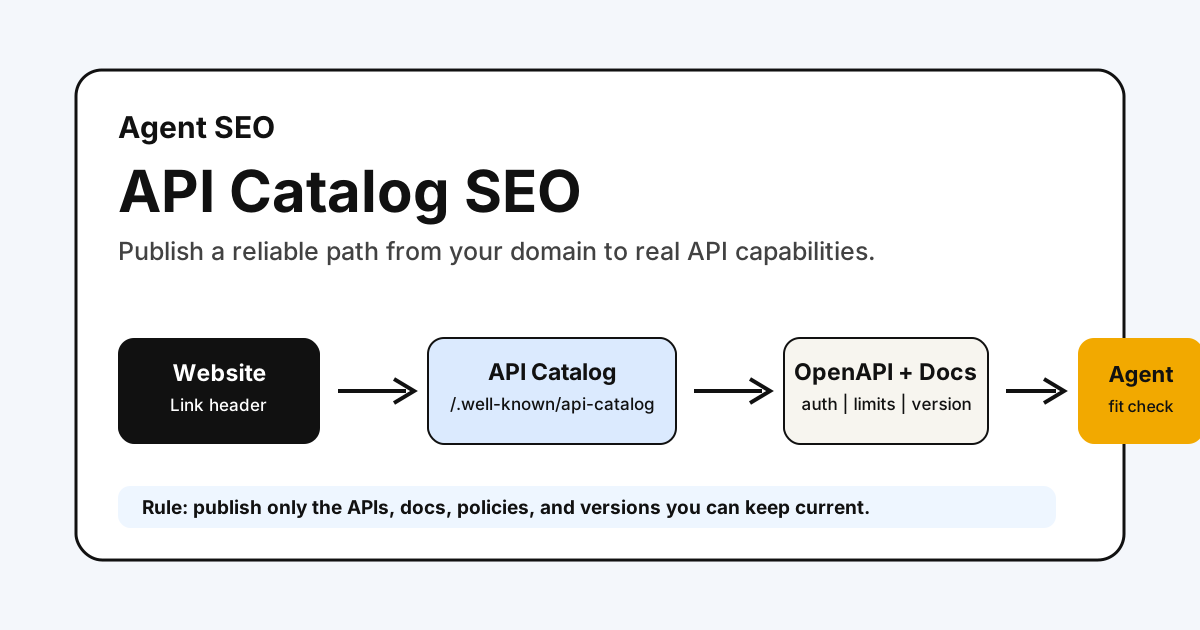
For a product website, start with page quality and discovery through Technical SEO, Bot Simulator, and Agent SEO Audit. If you also expose server capabilities, document them separately with an API Catalog or MCP Server Card.
What It Means For SEO
WebMCP may eventually make a compatible browser agent more reliable at a supported page action. That does not make the page more crawlable, eligible for a rich result, or likely to be cited by an AI system.
Keep the claim narrow: it is a possible interaction layer for browser agents. Publish it only when the tool maps to an existing, useful, and safe user action—and clearly mark it experimental until the relevant browser and agent support is demonstrated.
Sources
- WebMCP Community Group draft
- WebMCP proposal and explainer
- WebMCP source repository
- Web Platform Tests: WebMCP results
- MCP Server Card for SEO and Product Websites
Q&A
Is WebMCP a web standard I can rely on in production?
No. The current document is a Community Group draft, not a W3C Standard or standards-track specification. Treat it as an experimental direction and verify client and browser support before building a dependency on it.
Is WebMCP the same as backend MCP?
No. WebMCP proposes browser-page tools that can reuse client-side UI logic and shared page context. Backend MCP exposes server-side tools and resources through an MCP server. They can complement each other.
Will WebMCP improve SEO or AI citations?
No guarantee follows from the proposal. It is an interaction mechanism for compatible browser agents, not a search-ranking or citation signal.