Search Console Platform Properties: Measure Instagram, TikTok, X, and YouTube Search Visibility

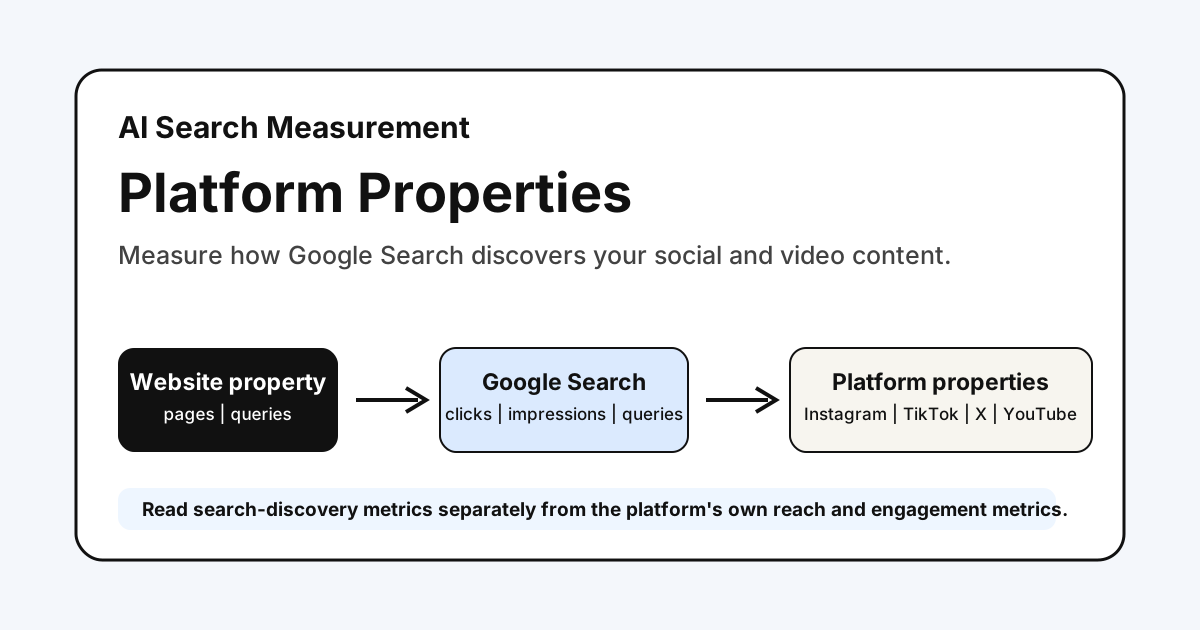
Search Console has long told website owners how Google Search discovers their pages. It now gives creators another measurement surface: platform properties for Instagram, TikTok, X, and YouTube.
The useful question is not “which social platform won this week?” Platform properties do not answer that. They show how people found your platform content through Google Search—and, when applicable, Discover and Google News.
That makes them a useful addition to an AI search measurement workflow. They let a brand compare where Google is discovering its owned website content and its platform content, while keeping the two data models honest.
What Google Added
Google announced platform properties on July 7, 2026, and confirmed global availability on July 29. Each supported account or channel can be added as its own Search Console property:
- TikTok
- X
- YouTube
After verification, the property reports how that account’s content performs on Google. The Search Performance report includes clicks, impressions, average CTR, and average position; it can be filtered to investigate specific posts and queries. Position is a Search metric, not a universal metric for every Google surface. The Insights report summarizes trends, top content, and discovery patterns. Discover and Google News data appear in their applicable reports only when that content receives traffic from those surfaces.
Google’s July 29 update also added an operating guide for query groups when enough data is available, top queries for lower-volume properties, the 24-hour filter, format comparisons, cross-platform exports, and annotations. New properties can still need a few days before data appears, but availability is no longer described as a gradual rollout.
Use 24 Hours For Alerts And 28 Days For Decisions
The new guide makes two review windows useful for different jobs. Do not treat them as interchangeable.
| Window | Best use | Evidence to inspect | Safe action |
|---|---|---|---|
| 24 hours | Detect a sudden Google Search spike around a recent post or video | Query, post URL, device, country, and whether the movement persists across several hours | Cross-promote or preserve the winning format; do not rewrite the entire content plan from one spike |
| 7 days | Check whether the spike is becoming a repeatable pattern | Query groups when available, otherwise top queries; top posts; rising and falling themes | Test one follow-up asset or metadata change |
| 28 days | Compare complete operating periods and formats | Clicks and impressions by applicable report; CTR and position for Search where reported; top assets; native-platform outcomes | Decide whether to refresh, extend, consolidate, or stop a format |
If a YouTube title, TikTok caption, or Instagram description changes, add a Search Console annotation on the change date. The annotation records timing; it does not prove causation. Google notes that annotations do not appear in comparison mode or the 24-hour view, so locate the event in a standard date view and retain the change date separately for period comparisons. Compare the same asset before and after the change, keep other major changes visible, and confirm whether the query mix changed before crediting the edit.
For cross-platform analysis, export each property separately and retain the property, URL, query, country, device, and date window in the combined sheet. This prevents a YouTube click, an Instagram click, and a website session from becoming one misleading total.
Platform Property Versus Website Property
These properties belong in the same review rhythm, but they do not represent the same asset or outcome.
| Question | Website property | Platform property |
|---|---|---|
| What is being measured? | Pages on your verified domain or URL prefix | One verified Instagram account, TikTok account, X account, or YouTube channel |
| What discovery does it show? | Google discovery of your website | Google discovery of the platform content |
| Does it show on-platform reach? | No | No—use native platform analytics for views, reach, watch time, and engagement |
| Can it inform content priorities? | Yes: queries, pages, countries, devices, and trends | Yes: queries, posts, and Google-surface discovery trends |
| What can you inspect technically? | Crawlability, indexing, sitemaps, canonical URLs | Reporting and traffic insights, not website technical health |
The distinction matters. A click to a product page and a click to a YouTube video may both begin on Google, but they lead to different experiences, conversion paths, and ownership boundaries.
Treat the reports as parallel discovery lenses, not a single blended performance number.
What You Can Compare Safely
Use the same date window and make comparisons that preserve context:
| Compare | What it can reveal | Keep separate |
|---|---|---|
| Query themes across site and platform properties | Whether Google surfaces different formats for the same demand | Do not assume equal conversion intent |
| Click and impression trends within each property | Whether Google discovery is growing or falling | Do not add unrelated totals into a vanity metric |
| Top pages and top posts | Which format best answers a query or topic | Do not call a post’s click a website session |
| Search, Discover, and News surfaces where reported | Where a platform asset enters Google’s ecosystem | Do not infer data where the report is absent |
For example, a tutorial query might send users to a website guide while a product demonstration query sends users to a YouTube video. That is a format-choice signal. It is not proof that one asset replaced the other.
If you need to connect search discovery to on-site behavior after the click, pair the website property with Fennec GSC Management, Google Analytics, or your product analytics. Google itself cautions that data from different systems should be compared for patterns rather than expected to match exactly.
The 28-Day Review Template
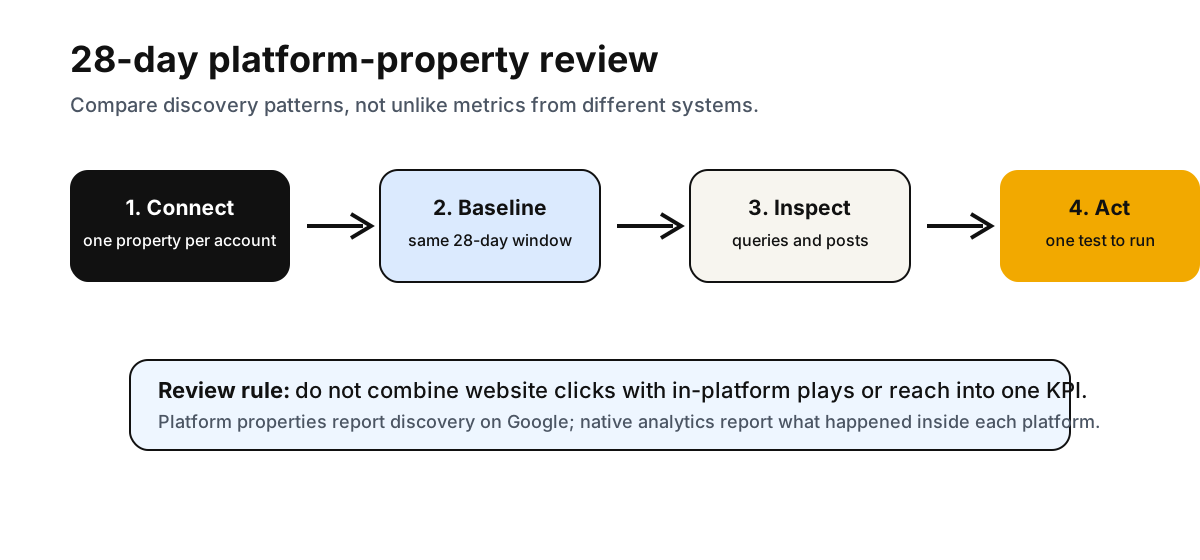
Platform properties use a 28-day default range. That makes a 28-day operating review a practical starting point.
Use this lightweight template once you have enough data:
| Review field | Website property | Each platform property | Decision |
|---|---|---|---|
| Period | Last 28 days and prior 28 days | The same dates, noting a new-property partial-data period | Only compare complete periods |
| Visibility | Clicks and impressions by applicable report; CTR and position for Search where reported | The same report-specific metrics; do not apply Search position to Discover or News | Flag material movement within a property |
| Demand | Top rising and falling queries | Top rising and falling queries | Identify shared query themes |
| Asset | Top pages | Top posts or videos | Decide whether a page, post, or both need a refresh |
| Outcome | Sessions, engagement, key events where available | Native views, watch time, and engagement in the platform’s own analytics | Keep outcomes in their native systems |
| Next action | Improve, consolidate, or publish a page | Improve metadata, format, or follow-up post | Choose one measurable test |
The first review should produce one action, not a sprawling content calendar. Examples:
- Add a concise embedded video or transcript to a page that already earns the relevant query.
- Create a post or short video that answers a recurring query where the website has no suitable format.
- Update a weak title or opening for the asset Google is already surfacing.
- Stop duplicating the same message when both formats receive little search discovery.
Important Data Boundaries
Platform properties have a few details that are easy to misread:
- They measure Google discovery, not in-platform performance. TikTok impressions, Instagram reach, YouTube watch time, and X engagement belong in their native analytics.
- Each account or channel is its own property. A brand with multiple channels needs a separate property for each one.
- New properties have incomplete history. Data begins accumulating after setup, so do not compare a newly created property with an established website property as if both cover the same period.
- Insights summaries and detailed lists can have different scopes. Google notes that the Insights summary can include clicks across Google surfaces while detailed lists focus on web-search traffic, so their totals may differ.
- A platform property cannot replace site diagnostics. Use Technical SEO, Bot Simulator, and GSC Management for website crawlability, page-level troubleshooting, and domain performance.
These boundaries are a feature, not a limitation. They force each system to answer the question it was designed to answer.
A Measurement Workflow For Content Teams
For a brand operating a website plus social or video accounts, use this order:
- Add the website property and each supported platform account or channel you own.
- Wait for enough complete data to establish a baseline.
- Review search-query themes and the top surfaced assets in each property.
- Compare intent and format: page, post, video, or a sequence linking them together.
- Make one content change, then review the next complete 28-day period.
This does not turn social posts into ranking factors or guarantee traffic. It gives content teams a clearer way to see where Google is already connecting a query to a particular format.
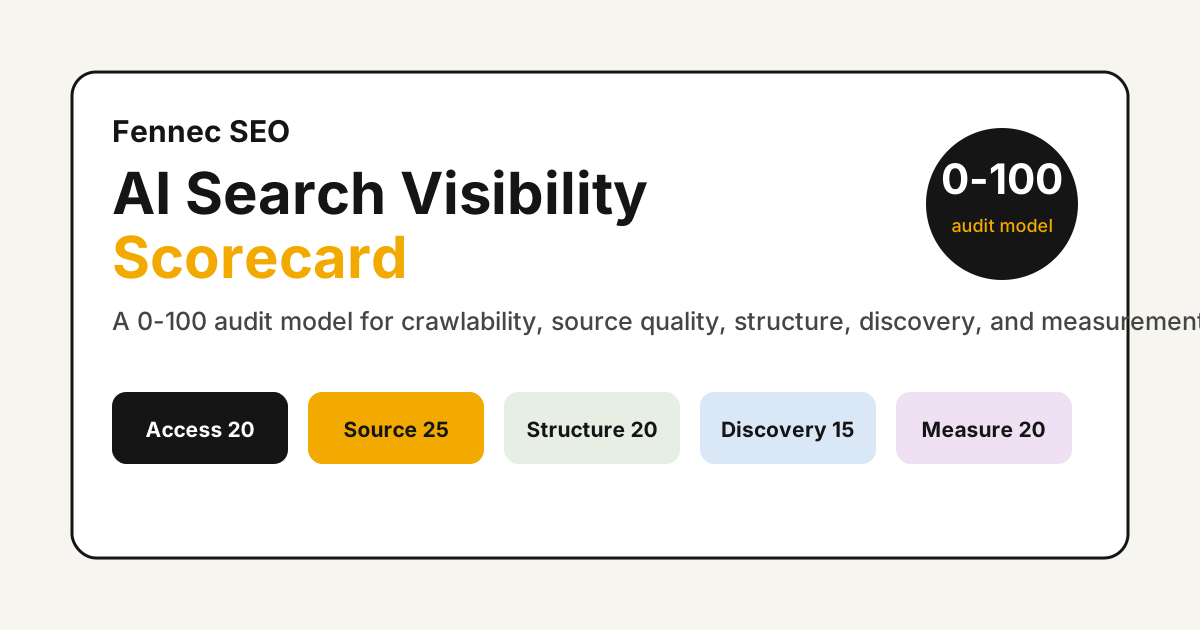
For a broader baseline before deciding what to refresh, use the AI Search Visibility Scorecard and the AI Overview click-drop workflow. Those assets keep the decision tied to crawlability, content quality, and real search behavior—not a single dashboard screenshot.
Sources
- Google Search Central: Platform properties roll out globally
- Google Search Central: See how social and video platform content performs on Google Search
- Google Search Central: Analyze social and video platform content
- Google Search Console Help: Search Console annotations
- Google Search Console Help: About platform properties
- Google Search Console Help: Add a website or platform property
- Google Search Central: Using Search Console and Google Analytics data for SEO
Q&A
Do platform properties show TikTok or YouTube views?
No. They report how content on a supported platform performs when it appears on Google surfaces. Use each platform's native analytics for in-platform views, reach, watch time, and engagement.
Can I combine website and platform-property clicks into one KPI?
You can review their trends in one operating view, but do not treat the combined total as one interchangeable KPI. The assets, landing experiences, and follow-on outcomes are different.
Why is my new platform property empty?
Search Console says it can take a few days for data to appear. New properties also show only the data collected since the property was created.