Batch SEO audit results: deduplicate findings into verified fix batches

A full-site audit can return hundreds of issue records. That is useful evidence, but it is not yet a repair plan. Start by preserving the URL selection from Fennec Audit. Creating one ticket per row can turn one template defect into fifty competing tasks; merging rows just because their labels look alike can hide unrelated failures.
This guide shows how to turn a batch report into a small set of verified remediation batches. A batch is only valid when the affected rows share a confirmed cause, a responsible owner, a smallest safe change, and a repeatable retest. It does not promise indexing, rankings, traffic, or a score increase.
Start with a frozen report, not a moving dashboard
Save the report before changing the site. Record the audit version, target-site boundary, URL-selection rule, run date, completed and failed counts, and the raw issue text. Those details make later comparisons meaningful.
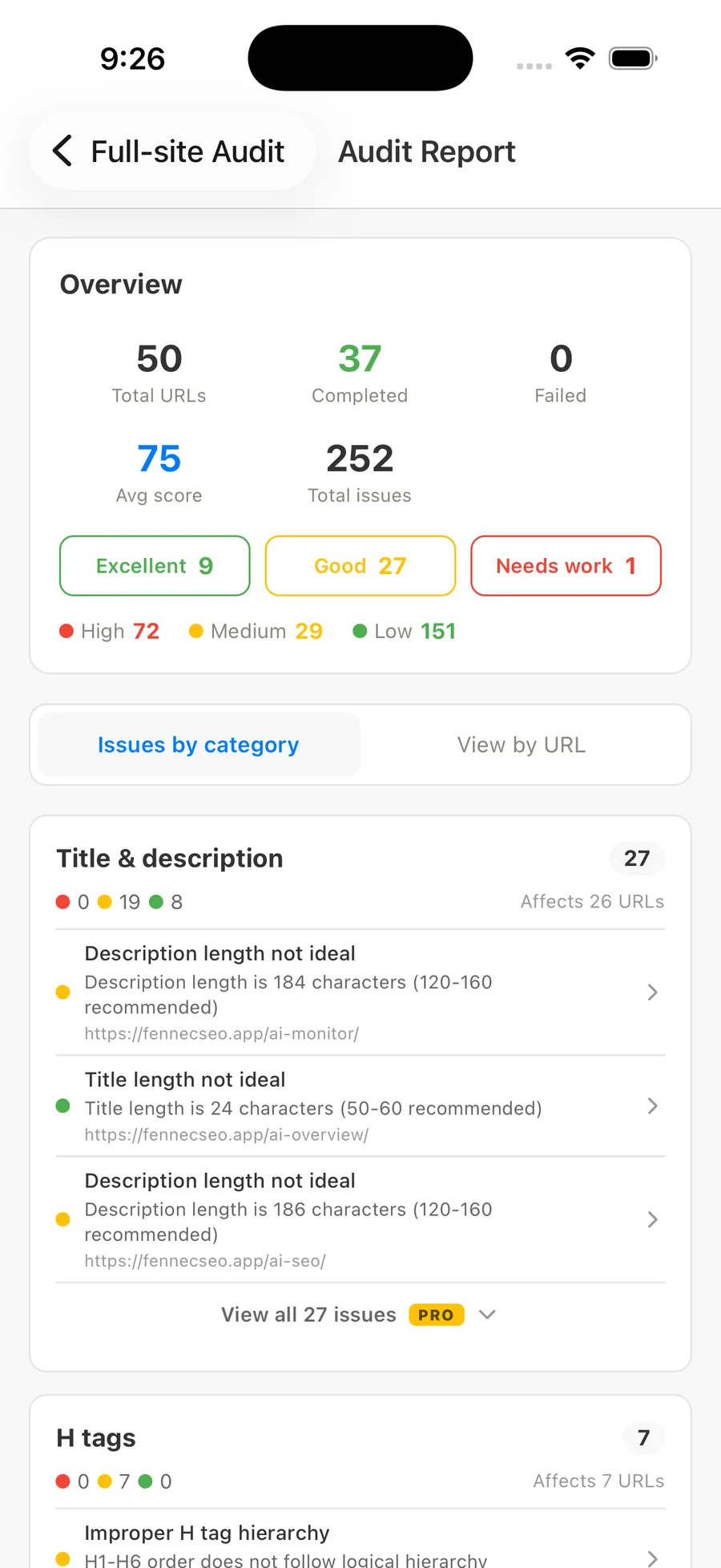
The Fennec SEO 1.2.1 report capture below is a real product-interface example, released with the September 17, 2026 product update. It shows 50 total URLs, 37 completed URLs, zero failed URLs, an average score of 75, and 252 issue records. Those values describe this capture only; they are not a benchmark or an expected result for another site.
The capture also makes an important boundary visible: total URLs, completed URLs, failures, and issue counts are separate fields. Do not assume that a zero failure count proves every selected URL has a completed, comparable result. Confirm the state of the specific URLs you want to group.
The rule for merging: same cause, same change, same retest
Use this test before putting two findings in the same repair batch:
| Test | Question | If the answer is no |
|---|---|---|
| Observed state | Did the same check reproduce the same relevant condition? | Keep the rows separate or gather evidence. |
| Cause | Is there evidence that one template, data source, rule, or process causes both? | Do not merge a shared label into a shared cause. |
| Change | Can one narrow change repair both without changing their intended differences? | Split the batch by implementation path. |
| Owner | Can one team or role make the change? | Hand off distinct batches. |
| Retest | Can one verification method prove the change on representative URLs? | Define separate validation before editing. |
A matching warning label passes none of these tests by itself. For example, a short title on a campaign landing page and a short title in a product-card component may both be reported as “title length not ideal.” One may be intentional and the other may originate in a shared component. Their raw label matches; their cause, owner, and safe fix may not.
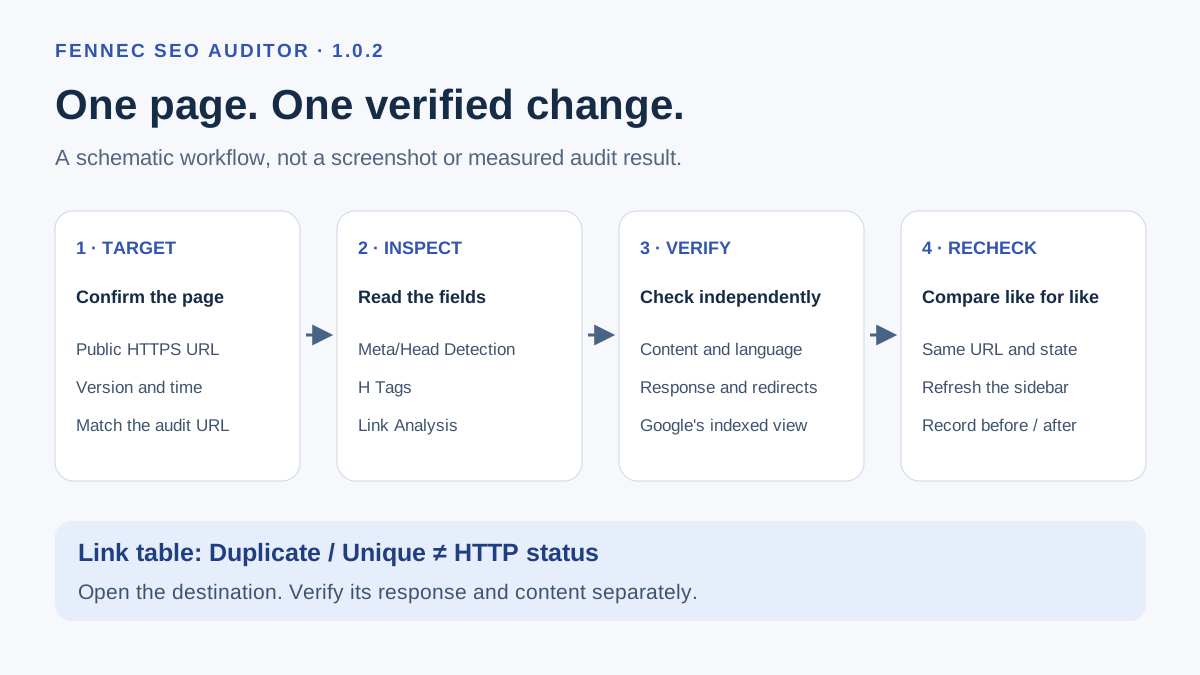
Likewise, do not merge pages merely because they are in the same category. A missing canonical, an unexpected noindex, and a redirect loop can all affect indexability, but they require different evidence and can have different release risks. Use the SEO diagnostic workflow to test the earliest failed layer before grouping downstream symptoms.
Build a normalized finding record
Export or copy the audit output into a working table. Keep the raw tool record intact, then add fields that make comparison possible:
| Field | What to keep |
|---|---|
| Audit run | version, date, site and URL-selection boundary |
| URL | the exact reported URL and its final response URL |
| Raw finding | the unedited label, category, severity and observed value |
| Reproduction | the request, rendered-page, source, or other check used to confirm it |
| Suspected cause | a hypothesis until evidence confirms it |
| Scope | page, route pattern, component, template, feed, rule or deployment layer |
| Owner | the role able to change the confirmed source |
| Safe action | the smallest change capable of removing the confirmed condition |
| Retest | the identical check and representative URLs to repeat |
Keep raw finding separate from suspected cause. “Description length is 184 characters” is an observation. “The site needs shorter descriptions everywhere” is an interpretation that may be wrong. The prioritized SEO fix list explains how to decide priority after evidence, not from a tool color alone.
Use two passes to deduplicate without losing exceptions
Pass 1: cluster candidates mechanically
Start with conservative keys: audit rule, rendered or response state, route/template family, language, and owning system. This makes a shortlist; it does not establish a root cause.
For each candidate cluster, choose two or three representative URLs. Include a boundary case where possible: a URL that has the label but appears to use another template, locale, or data source. If that boundary case differs, split the cluster instead of forcing it into a convenient batch.
Never group across these boundaries without direct evidence:
- different language or regional variants;
- pages whose titles, descriptions, availability, pagination, or parameters are intentionally different;
- URLs that reach different final responses or canonical targets;
- unrelated data sources that happen to emit the same text;
- observed errors and URLs that only have a tool recommendation.
Pass 2: prove the common source
Inspect the live response, authored source, rendered DOM, configuration, or shared component that could produce the same state. Then write a batch only when the evidence identifies one change point.
Suppose 26 pages show a description-length warning. A safe conclusion is not “shorten 26 descriptions.” Compare the pages first:
- Are the affected URLs using the same template or source field?
- Is the visible description actually the value the report measured?
- Does the longer text still accurately explain the page’s task?
- Would shortening it remove required product, legal, language, or accessibility context?
- Can the candidate change be checked on both a representative page and an intentional exception?
If a shared template concatenates the same boilerplate twice, one component change may be a good batch. If every page has a different editorial description, they are individual content reviews—not one automated rewrite.
Turn a confirmed cluster into a repair batch
Write one batch card for one confirmed change point. It should be specific enough that another reviewer can reject an over-broad repair before it reaches production.
batch: shared product-card title resolver
scope: product routes using the resolver; samples /product/a/ and /product/b/
evidence: both rendered pages repeat the same suffix; exception /collections/ uses another component
owner: engineering
smallest safe action: remove the duplicated suffix in the shared resolver
do not change: editorial titles, collection headings, locale-specific names
retest: rerun the same audit rule; inspect source and rendered title on two samples and one exception
status: ready for implementation
The example is a model, not a claim about a particular production site. It is deliberately narrower than “fix all titles.” A well-scoped batch states what it does not change.
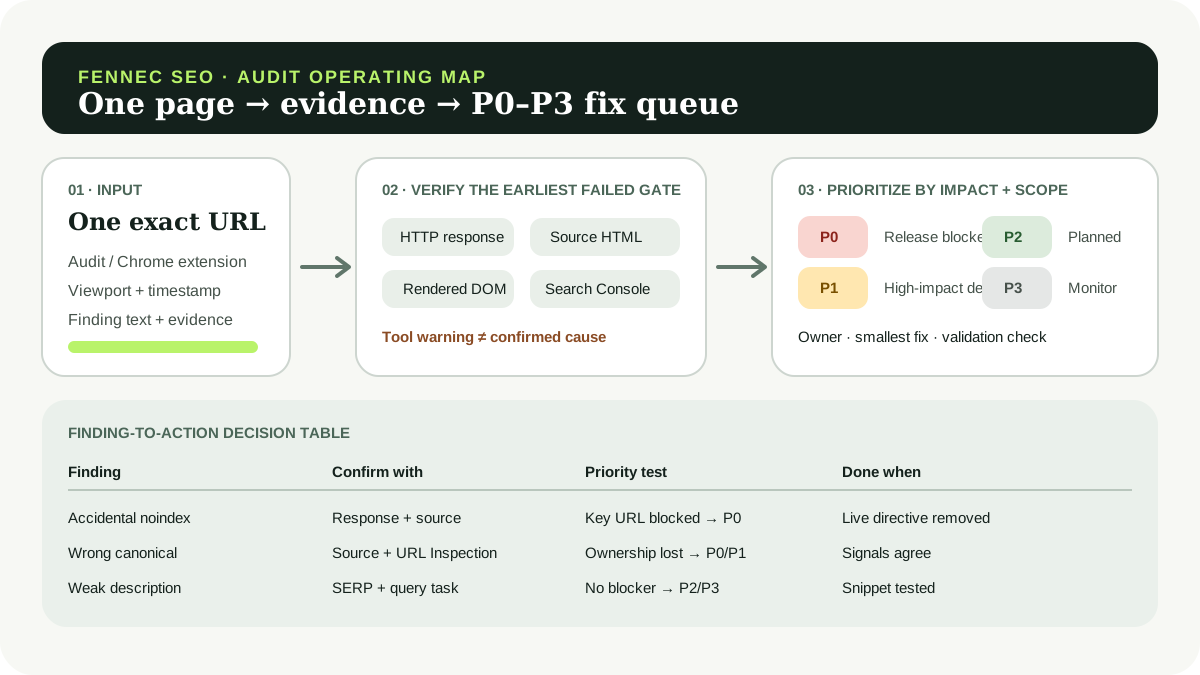
For implementation priority, add business importance, breadth, confidence, dependencies, and release risk. A high-severity label might become P0 only when a confirmed shared defect blocks an important experience. A wording issue with low confidence may be a P2 or P3 review instead. The Google SEO audit worksheet is useful for preserving the evidence behind that decision.
Separate remediation batches from validation batches
One code change can repair several rows, but validation still needs more than one glance at a dashboard. Define the evidence before editing:
| Change type | Representative checks |
|---|---|
| Shared template or component | source and rendered output on affected samples, plus an exception that must remain unchanged |
| Canonical or directive rule | response headers/HTML, sitemap and internal-link consistency, then later Google-side observation |
| Internal-link component | the changed component’s destinations, a static link scan, and a user path through the relevant page |
| Editorial fields | accuracy, intent, locale meaning, page rendering, and a later query/landing-page observation when available |
Run the same audit rule again on the same URL set when possible. Compare the raw rows rather than only the total score. A lower count can mean a true repair, a changed URL selection, an unavailable page, a different audit version, or an incomplete run. Note which condition changed before calling the batch complete.
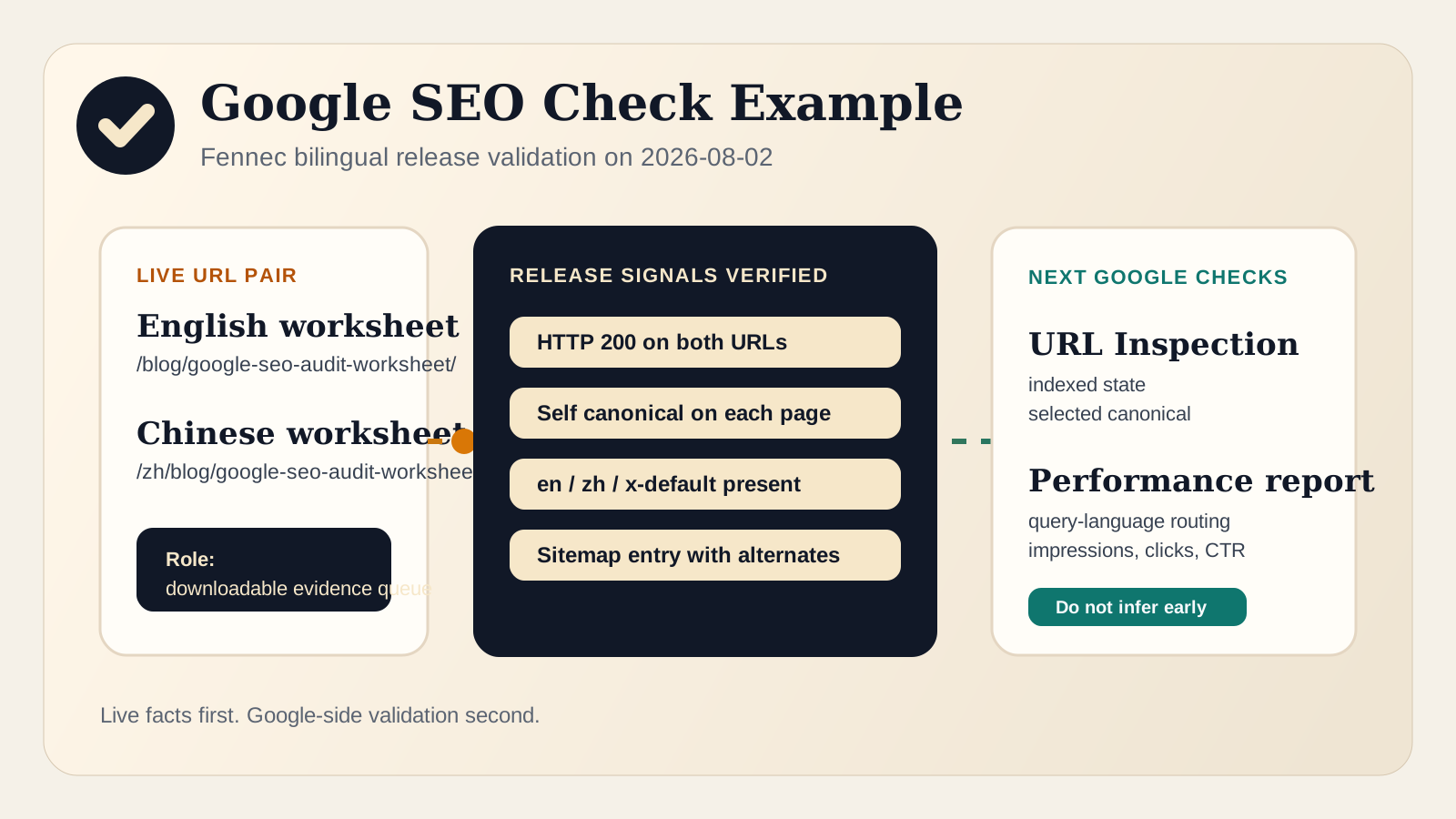
For public pages, add the normal release checks: build output, indexability, static links, page rendering, and a review of both language versions. Use a link check after shared navigation or content-component changes. Google’s URL Inspection documentation distinguishes a live test from Google’s indexed record; neither audit completion nor a local retest proves that Google has processed a change.
Keep the queue small enough to verify
A practical repair queue often has fewer batches than the report has categories. Start with the confirmed batch that has the clearest scope and verification path. Keep unconfirmed clusters as investigations, not promised fixes. That prevents a batch audit from becoming a long list of changes with no evidence that any one of them was needed.
When the report includes a true site-wide pattern, repair the shared source and preserve representative evidence. When it includes many legitimate page-level differences, keep those differences visible and review them in the right editorial or product context. The aim is not to make every dashboard count disappear. It is to remove confirmed problems while protecting intentional variations.