Google SEO Diagnostic Workflow: Route Symptoms to the Earliest Failed Stage

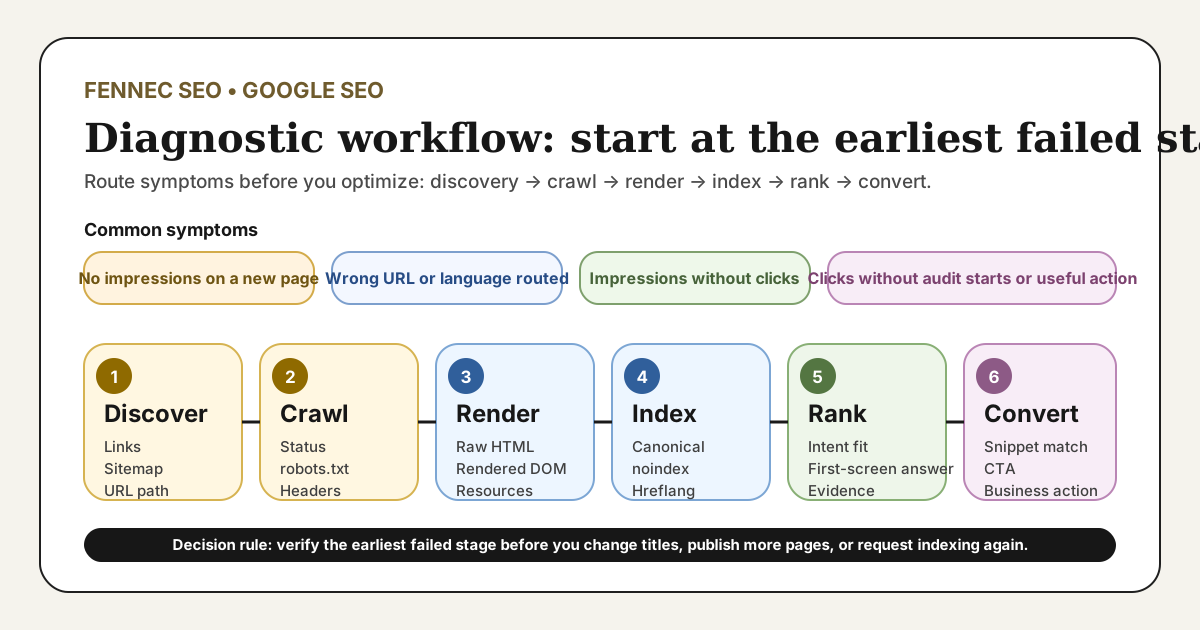
A useful Google SEO diagnostic workflow is not another generic checklist. It is a routing system that tells you where to start when a page has no impressions, the wrong language page appears, impressions do not turn into clicks, or clicks do not turn into useful next steps.
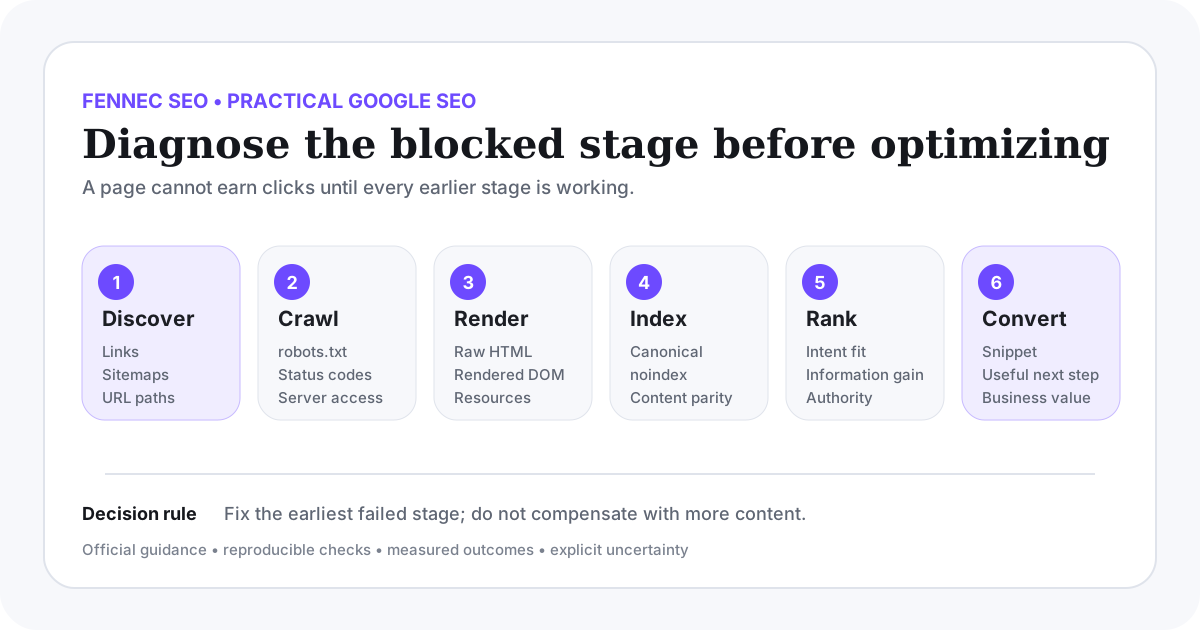
The practical rule is simple: route the symptom to the earliest failed stage. Google’s SEO Starter Guide, Search Essentials, crawlable links guidance, JavaScript SEO basics, canonical documentation, URL Inspection help, Page indexing report help, and Performance report help together define the checks behind that route.
The direct answer: which symptom should send you to which stage?
| Symptom | First stage to inspect | Primary checks | What not to do |
|---|---|---|---|
| New page gets no impressions | Discovery, then crawl | Internal <a href> links, sitemap inclusion, status, robots access | Do not rewrite titles before proving the page can be found and fetched |
| Search Console shows discovered or crawled but not indexed | Render, then index | Raw HTML vs rendered DOM, noindex, canonical, duplicate cluster, page value | Do not keep requesting indexing while the signals conflict |
| Wrong URL or wrong language page appears | Index | Self-canonical, hreflang, internal links, redirects, translations | Do not blame ranking before checking routing signals |
| Impressions appear but clicks stay weak | Rank | Query-page match, title, first-screen answer, result format, snippet honesty | Do not assume low CTR means the keyword failed |
| Clicks arrive but product action does not | Conversion | Next-step clarity, CTA relevance, page layout, tracking, message match | Do not treat traffic alone as the finished outcome |
This is the routing page for the cluster. The broader Google SEO guide explains the whole workflow, the Google SEO audit checklist turns it into a full audit pass, and the Google indexing troubleshooting guide goes deeper on stage four.
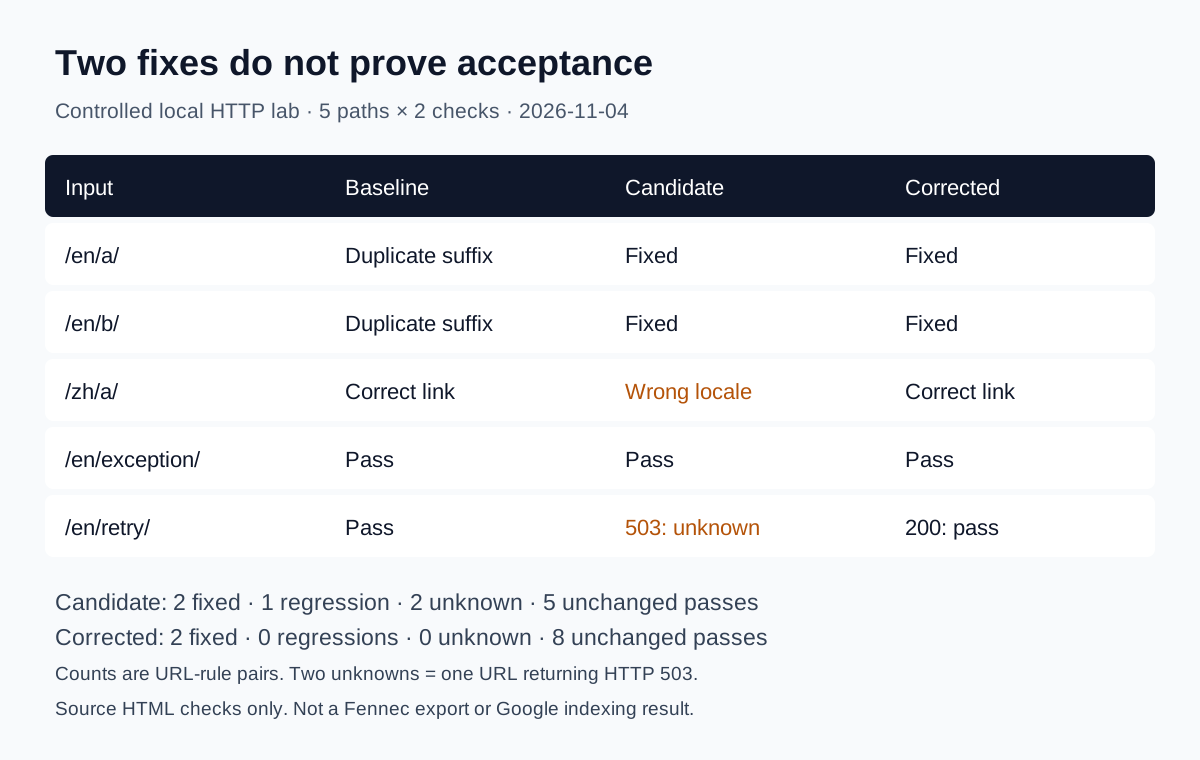
If the disagreement is not “which stage failed?” but “how strong is the evidence behind this claim?”, move next to the Google SEO evidence matrix. Once the route is clear, log the finding in the downloadable Google SEO audit worksheet before you start changing templates or copy. If you want a bounded release-health example that uses this route on a real Fennec bilingual pair, continue to the Google SEO check example.
The six-layer workflow
1. Discovery
Ask one question first: can Google find the preferred URL through a crawlable path?
Check:
- at least one real
<a href>internal link from an indexable page; - inclusion of the preferred canonical URL in the XML sitemap;
- stable URL format without hidden parameter or redirect dependence;
- whether the page is orphaned from the topic cluster.
Common failure modes:
- the link exists only after JavaScript interaction;
- the sitemap lists a different URL than the one templates link to;
- the pillar page links to a redirect or tracking variant.
Validate by confirming the same preferred URL appears in source HTML links, the sitemap, and the final 200 page. On Fennec, the link checker and sitemap checker are useful for candidate discovery, but the source HTML is the final proof.
2. Crawling
Once discovery is proven, confirm Googlebot can fetch a stable response.
Check:
- final status code and redirect hops;
- robots.txt access to the page and required resources;
X-Robots-Tagon the response;- server stability for repeated requests.
Common failure modes:
- a soft 404 or empty error shell still returns
200; - robots.txt blocks a page whose
noindexyou expect Google to read; - internal links send Google through unnecessary redirect chains.
Validate with the final HTTP response, not just a browser view. If the page cannot return a stable, truthful response, later content work is secondary.
3. Rendering
If the page is crawlable but still not behaving correctly, compare what exists before and after JavaScript.
Check:
- raw HTML;
- rendered DOM;
- Google’s view in URL Inspection when available;
- presence of title, H1, body copy, canonical, robots directives, and internal links.
Common failure modes:
- the main copy appears only after a failing client-side request;
- canonical or hreflang is replaced after hydration;
- the next-step CTA exists for users but not in the rendered DOM Google sees.
Validate by confirming the important content is present without needing fragile client state. On Fennec, Bot Simulator is useful for a quick comparison before you return to Search Console.
4. Index
At this layer, you are asking whether Google accepts the intended URL as the right index entry.
Check:
noindexorX-Robots-Tag;- self-canonical versus canonical to another URL;
- duplicate or near-duplicate alternatives;
- reciprocal hreflang and language routing consistency;
- whether Google-selected canonical matches the declared one.
Common failure modes:
- English and Chinese versions point authority to the wrong peer;
- a page is technically accessible but clustered as a duplicate;
- the page is crawlable yet too thin or too ambiguous to justify its own index slot.
Validate with URL Inspection help and the Page indexing report help, then compare those reports with the page’s actual HTML and internal linking.
5. Rank
If the page is indexed, the next question is whether it deserves the query and the result format.
Check:
- whether the page type matches the dominant result pattern;
- whether the first screen answers the task directly;
- whether the page adds original evidence, workflow, or decision support;
- whether another page on the same site already owns the intent better.
Common failure modes:
- publishing a general article for a task Google mostly serves with tools;
- creating several pages that all target the same broad query family;
- calling a page weak because of average position alone without reviewing query mix.
Validate with query-level impressions, intended-language routing, and page-role clarity. If the page earns impressions for the wrong task, changing the title alone is rarely enough.
6. Conversion
Ranking is not the end state. The final layer asks whether the visit leads to a useful next step.
Check:
- whether the snippet promise matches the landing experience;
- whether the page makes the next action obvious;
- whether the CTA aligns with the reader’s stage;
- whether analytics capture the action you actually care about.
Common failure modes:
- a guide gets clicks but gives no clear next step;
- the page sends users to an irrelevant product page too early;
- the team declares success from traffic even though no qualified actions increase.
Validate with page-to-product movement, tool starts, downloads, demo requests, or another explicit business action. On Fennec, a guide should usually connect to Audit, Technical SEO, or GSC Management only when that next step is contextually justified.
A practical Fennec workflow
Three common Fennec cases show how this page should be used:
- A new spoke page has no impressions. Start with discovery and crawl: confirm the pillar links to the page, the sitemap lists the same canonical URL, and the page returns a stable
200. - A Chinese query lands on the English page. Start with index routing: confirm self-canonicals, reciprocal translations,
hreflang, and internal links do not keep favoring the wrong language URL. - A page earns clicks but does not produce audit starts. Start with conversion: compare the snippet promise, the first-screen answer, and whether the CTA to Audit or another tool appears at the right point in the page.
If you need a broader review after routing the symptom, continue to the Google SEO audit checklist. If the symptom clearly lives at the indexing layer, go deeper with the Google indexing troubleshooting guide. If you need owners and timing, use the Google SEO 30/60/90-day plan.
Limitations of the workflow
This workflow reduces wasted motion, but it does not remove uncertainty.
- Search Console can hide low-volume queries and delay visible data.
- A live test in URL Inspection proves current access, not future indexing.
- One ranking screenshot is not enough evidence for a root cause.
- A technically healthy page can still underperform if it adds little new value.
Use the workflow to narrow the first credible stage, not to pretend that SEO becomes deterministic.
What to record after each fix
After every change, record:
- the exact URL or template changed;
- the date of the release;
- the stage you believed was blocked;
- the evidence that justified the change;
- the validation check you will repeat;
- the outcome window for impressions, clicks, or action data.
That is the difference between a diagnostic workflow and guesswork with nicer formatting.
Sources
- Google Search Central: SEO Starter Guide
- Google Search Central: Search Essentials
- Google Search Central: Make your links crawlable
- Google Search Central: JavaScript SEO basics
- Google Search Central: How to specify a canonical URL
- Google Search Console Help: URL Inspection Tool
- Google Search Console Help: Page indexing report
- Google Search Console Help: Performance report
Q&A
What should a Google SEO diagnostic workflow decide first?
It should decide which stage failed first: discovery, crawl, render, index, rank, or conversion. The right starting point is the earliest stage that can explain the symptom, not the most visible complaint.
Is this the same as a full SEO audit?
No. This workflow helps you route a symptom to the right starting stage. Use a full audit when you need a broader evidence sheet, sample plan, owners, and priorities across templates.
Can Search Console alone prove the cause?
No. Search Console provides important state and performance data, but you still need to compare HTML, rendering, canonicals, internal links, and page role before calling a cause confirmed.