Google SEO Audit Checklist: Diagnose Indexing, Content, and Growth

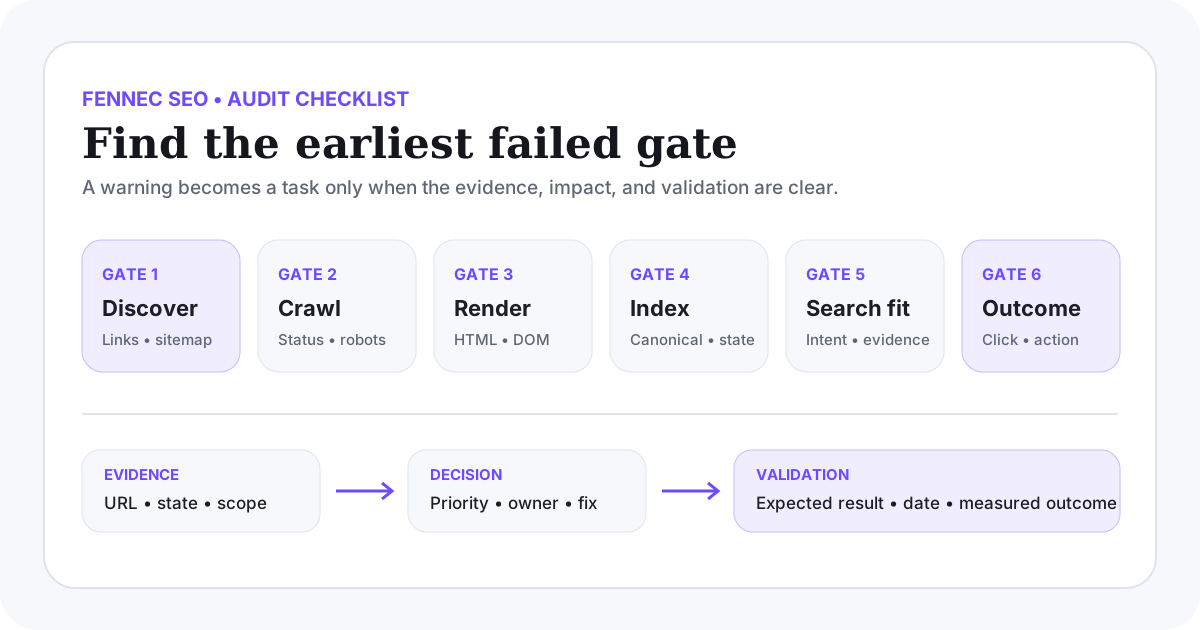
A useful Google SEO audit does not produce a long list of warnings. It identifies the earliest failed stage, proves the failure with evidence, assigns an owner, and defines a test that will show whether the fix worked.
Use this order:
- discovery;
- crawling and response;
- rendering;
- indexing and canonical selection;
- search intent and content quality;
- click and business outcome.
Google’s Search Essentials describes the minimum technical requirements, spam policies, and core practices for eligibility. Meeting them does not guarantee crawling, indexing, or ranking, so an audit must separate eligibility, observed Google state, and performance.
If you already know the symptom and only need the first likely gate, start with the shorter Google SEO diagnostic workflow. Return here when you need the full evidence sheet and audit queue.
Start with an audit evidence sheet
Create one row per finding. Do not write “canonical issue” or “content quality problem” without recording the affected URL and the evidence.
If the team keeps mixing confirmed Google guidance, live page evidence, and interpretation, standardize the finding with the Google SEO evidence matrix before you assign the fix.
If you want a reusable CSV version of this evidence sheet for audits, handoffs, and release follow-up, download the Google SEO audit worksheet. If you want to see the checklist compressed into one live bilingual release pass, review the Google SEO check example.
| Field | What to record |
|---|---|
| URL or template | Exact URL, route pattern, or page type |
| Intended role | Index, redirect, consolidate, or stay private |
| Failed gate | Discovery, crawl, render, index, search fit, or conversion |
| Evidence | HTTP result, HTML, screenshot, Search Console status, or query data |
| Scope | One URL, one template, one locale, or site-wide |
| Priority | P0, P1, P2, or monitor |
| Owner | Engineering, content, design, analytics, or operations |
| Fix | Smallest change that addresses the cause |
| Validation | The check and date that will confirm the outcome |
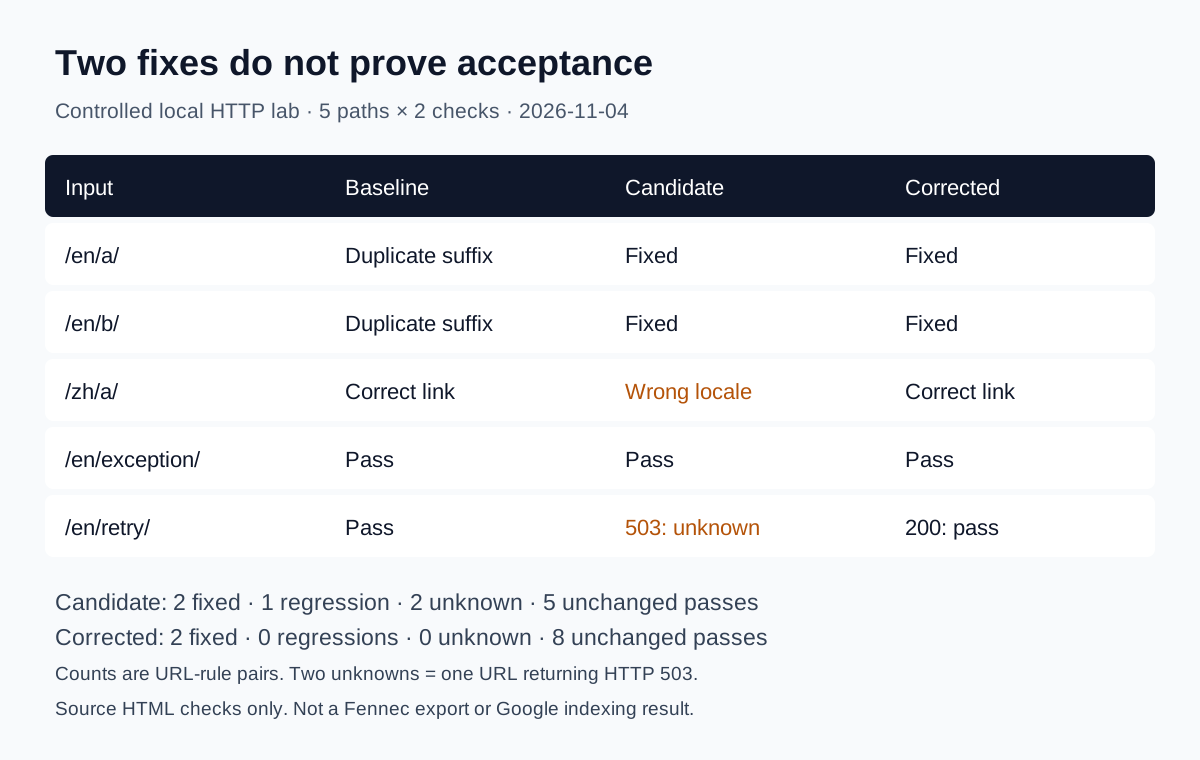
This prevents two common errors: treating tool alerts as confirmed problems and fixing symptoms without knowing whether the affected page should be indexed.
Choose a representative sample
Do not audit only the homepage. Start with:
- the homepage;
- one high-value product or service page;
- one English article and its Chinese equivalent;
- one Wiki or glossary page;
- one JavaScript-heavy tool;
- one indexed page that lost clicks;
- one URL that Search Console reports as not indexed;
- one redirect, 404, and intentionally noindexed page.
If a defect comes from a shared component, expand from the sample to every affected template. If it is page-specific, keep the scope narrow.
Gate 1: Can Google discover the preferred URL?
Check whether each important page has:
- at least one crawlable internal
<a href>link; - a stable preferred URL;
- inclusion in the correct XML sitemap;
- no accidental orphaning;
- links that point directly to the final destination rather than a redirect chain.
Google recommends crawlable links with descriptive anchor text in its link best practices. A sitemap can help discovery, but it does not replace navigation or guarantee indexing.
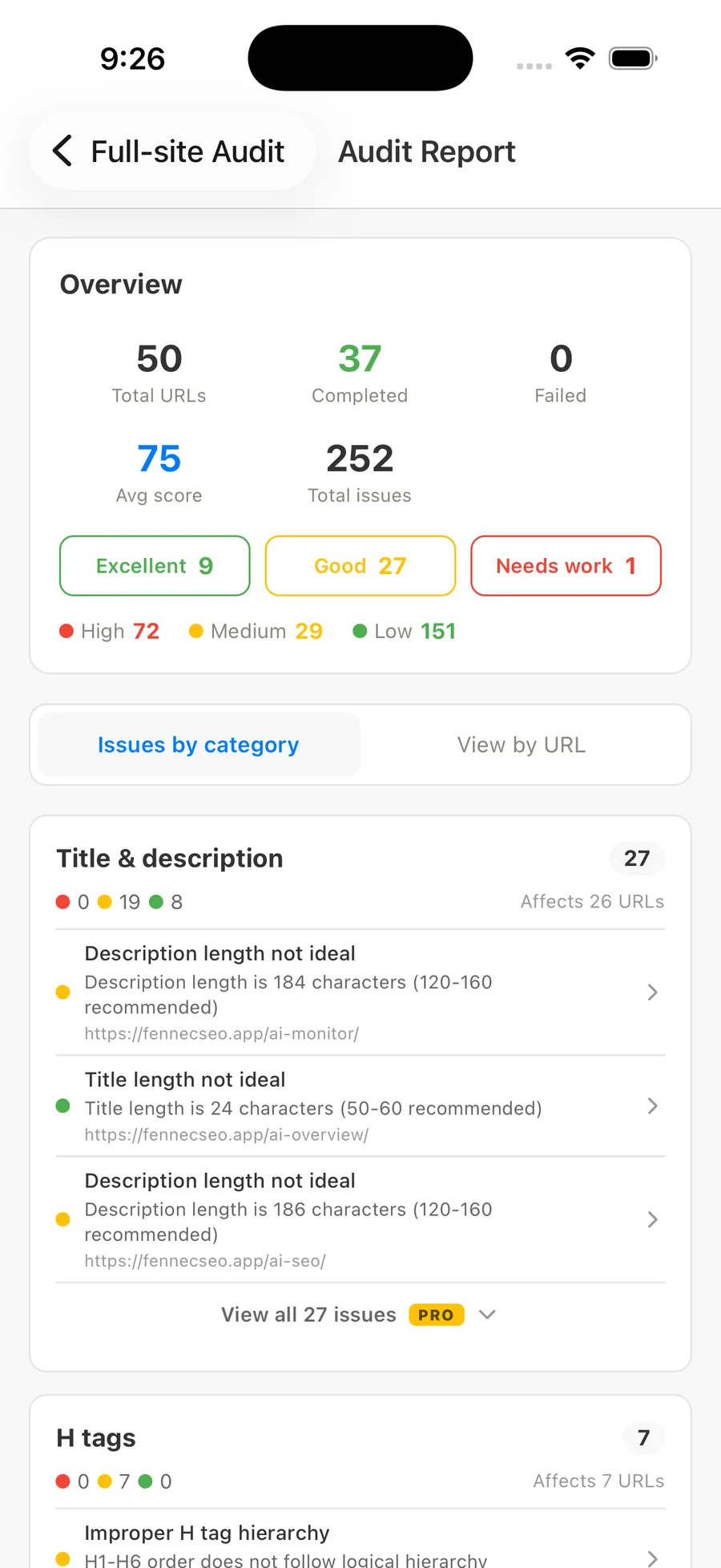
Use the Fennec link checker and sitemap checker to gather candidates, then verify the source HTML before filing a finding.
Evidence to save
- the referring page and exact anchor;
- whether the link exists in raw or only rendered HTML;
- sitemap location and last modification value;
- redirect hops;
- a list of important orphan candidates.
Gate 2: Can Googlebot crawl a valid response?
Request the preferred URL and record:
- final status code;
- redirect destination and number of hops;
- robots.txt decision;
X-Robots-Tag;- response stability;
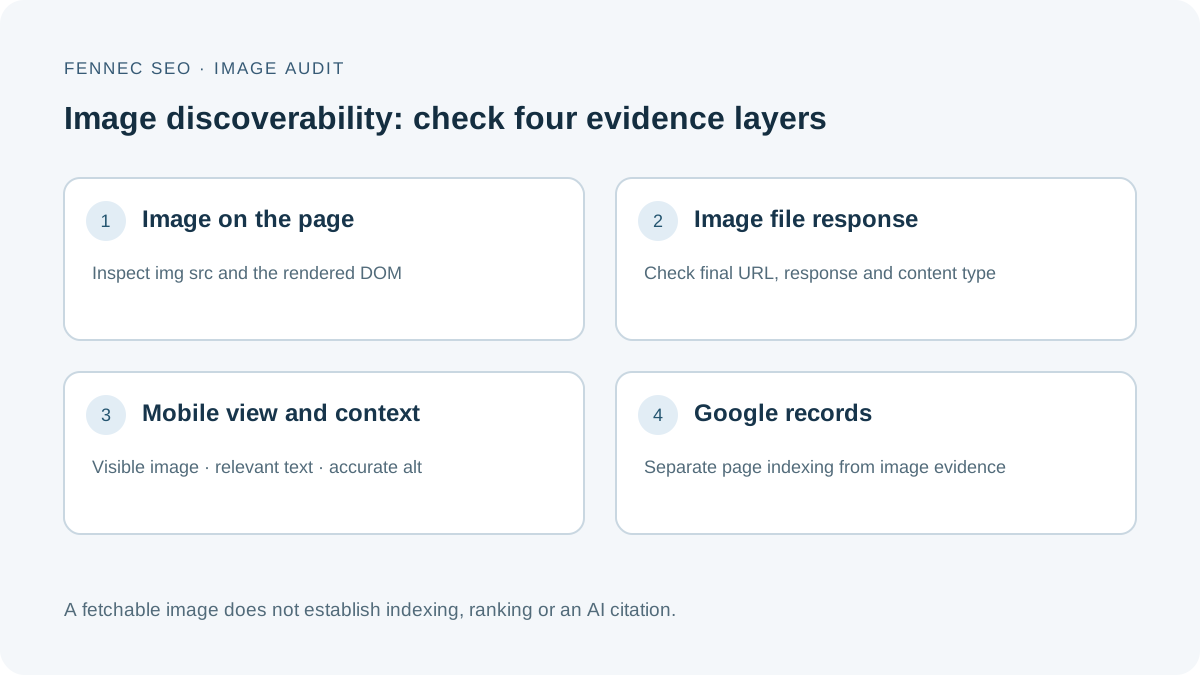
- whether important CSS, JavaScript, and image resources are accessible.
A page usually needs an HTTP 200 response and indexable content to be eligible for Google Search. A blocked URL can still be known to Google, while robots.txt may prevent Google from reading a page-level noindex. Use the robots.txt checker and inspect the response itself.
curl -I -L https://example.com/preferred-page
curl -L https://example.com/robots.txt
Failure patterns
| Symptom | Likely cause | Next check |
|---|---|---|
Intermittent 5xx | Origin, deployment, or timeout | Server logs and Crawl Stats |
Error page returns 200 | Soft 404 template | Main content and status routing |
| URL redirects twice | Old internal links or migration chain | Link and sitemap source |
| Page blocked in robots.txt | Rule collision | Whether the page should be crawled or removed |
Gate 3: Does the rendered page contain the important content?
Compare:
- server response HTML;
- browser-rendered DOM;
- Search Console’s indexed view and live test.
Google’s JavaScript SEO documentation describes crawling, rendering, and indexing as separate phases. Critical content should not depend on a user click, an unstable API, or a client-only state.
Check:
- title, H1, main copy, links, canonical, and robots directives;
- hydration or console errors;
- content that appears only after interaction;
- differences by device, locale, cookie, or authentication state;
- hidden content that exists solely for crawlers.
Run the Fennec Bot Simulator for a comparison, but use Search Console URL Inspection for Google’s recorded and live views.
Gate 4: Is Google indexing the intended canonical?
For a single URL, URL Inspection can show Google’s indexed version, crawl details, and Google-selected canonical. Its live test checks current accessibility but cannot predict every indexing decision or the canonical Google will ultimately select.
Check alignment between:
- HTTP status and redirect;
- HTML canonical;
noindexorX-Robots-Tag;- internal links;
- sitemap URLs;
- hreflang alternates;
- Google-selected canonical.
Google’s Page indexing report also makes an important distinction: not every non-indexed URL is an error. Duplicates, redirects, filter URLs, and intentionally excluded pages may be working as designed.
Diagnose by intent
| Reported state | Ask first |
|---|---|
| Crawled, currently not indexed | Is the page distinct, complete, and internally supported? |
| Discovered, currently not indexed | Is discovery recent, server capacity healthy, and the URL worth crawling? |
| Duplicate without user-selected canonical | Which version do links, redirects, and sitemap support? |
| Alternate page with canonical | Is this an intended duplicate or an accidental canonical? |
Excluded by noindex | Is the directive intentional and crawlable? |
| Soft 404 | Does the page satisfy its promise and return the right status? |
Use the canonical checker before changing tags across a template.
Gate 5: Does the page deserve the query?
Once the page is technically eligible, review search fit.
For each important landing page, record:
- primary user task;
- top Search Console queries;
- dominant result format for those queries;
- directness of the first-screen answer;
- original evidence, workflow, data, or decision support;
- author and source clarity;
- overlap with another page on the same site;
- internal links from the relevant topic cluster.
Google’s people-first content guidance emphasizes original information, substantial analysis, clear sourcing, and value beyond other results.
Do not score quality by word count alone. A concise tool page may complete its task better than a long generic article. Conversely, a 2,000-word page can remain weak if it only paraphrases the current results.
Page-level checklist
- Title and H1 make the same accurate promise.
- The first 100–150 words answer the main question.
- Headings follow reader decisions, not keyword variants.
- Time-sensitive claims have current primary sources.
- Examples are labeled as sample or measured.
- Limitations and failure modes are visible.
- The page links to the next useful action.
- English and Chinese pages are equivalent in facts, not mechanically translated.
Gate 6: Does visibility produce useful outcomes?
Separate four measurements:
- impressions: Google considered the page for queries;
- clicks and CTR: the search result earned visits;
- engagement: visitors used the page;
- conversion: visitors completed a relevant next step.
A ranking page with near-zero CTR may have an intent or snippet problem. A page with healthy clicks but no next-step use may have a product, UX, or measurement problem.
For Fennec, useful outcomes can include moving from a guide to Audit, starting a technical check, using a focused tool, or returning to monitor a fix. Do not treat every visit as equally valuable.
Prioritize findings without inflating urgency
| Priority | Definition | Examples |
|---|---|---|
| P0 | Prevents access, indexing, or a critical user action across valuable pages | Site-wide noindex, broken deployment, canonical to wrong domain |
| P1 | Materially harms one valuable template or proven landing page | Missing main content after render, wrong-language canonical |
| P2 | Quality or efficiency improvement with limited immediate loss | Weak snippet, thin decision support, redirecting internal links |
| Monitor | Observation without enough evidence for a change | Normal crawl fluctuation, intentionally excluded duplicates |
Priority combines impact, affected scope, confidence, and reversibility. A dramatic tool label is not a P0 by itself.
A 90-minute first audit
Minutes 0–15: establish scope
- list revenue, lead, and high-click pages;
- select representative templates;
- record recent releases or migrations;
- export the latest page-level Search Console comparison.
Minutes 15–35: discovery and crawl
- crawl internal links and sitemap;
- sample response codes and redirects;
- review robots.txt and response headers;
- identify orphan and soft 404 candidates.
Minutes 35–55: render and index
- compare raw and rendered output;
- inspect two important URLs and two excluded URLs;
- compare declared and Google-selected canonical;
- check reciprocal hreflang for one bilingual pair.
Minutes 55–75: content and query fit
- review top gaining and losing landing pages;
- map their leading queries to the first-screen answer;
- identify one overlap, source gap, or missing decision section.
Minutes 75–90: action plan
- keep only evidence-backed findings;
- assign owner and priority;
- define validation and review date;
- choose one P0/P1 batch that can be completed safely.
What the audit should produce
A completed audit is not a PDF with hundreds of warnings. It is a short queue where every item contains:
affected URL or template → failed gate → evidence → impact → owner → fix → validation date
Start with the earliest blocked gate, complete one bounded batch, and measure the result before expanding the scope. For the broader operating model, return to the Google SEO guide or begin a focused Fennec SEO audit.
Q&A
What should a Google SEO audit check first?
Check whether important URLs are discoverable, crawlable, render correctly, and eligible for indexing before reviewing keywords or backlinks. Fix the earliest failed gate because later optimization cannot compensate for it.
Does every non-indexed URL need to be fixed?
No. Redirects, duplicate URLs, filters, private pages, and intentionally noindexed pages may be correctly excluded. Compare the URL's intended role with Google's reported reason before taking action.
How often should a site run an SEO audit?
Monitor critical technical and traffic signals continuously, audit changed templates after releases, and run a deeper review quarterly or after a migration, redesign, traffic drop, or major content expansion.